
Blessed Scripts
A Blessing binds a reviewed script to its canonical path, SHA-256 digest, interpreter, Script Declaration, Secret Names, declared Capabilities, and optional Launcher Endorsements. The app shows the exact enrolled state and can revoke or replace it.
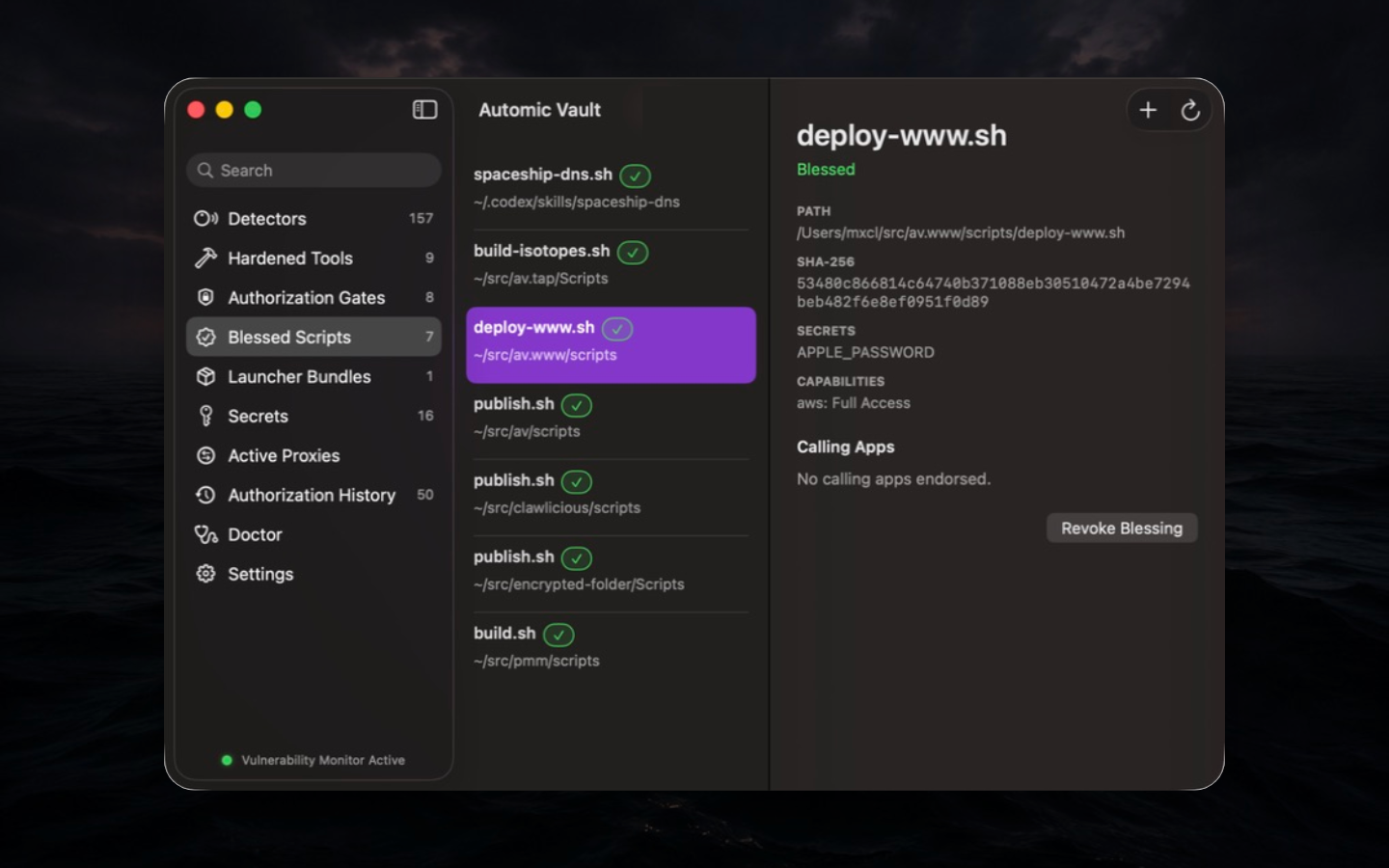
Verified execution
Scripts are mutable text and usually run through a powerful
interpreter. Automic Vault therefore approves a verified snapshot rather
than trusting the filename. Execution normally uses a checked
/dev/fd/N snapshot. If the interpreter cannot execute that
snapshot, you may accept canonical-path execution during Blessing
review. That exception warns on every run because same-user code can
edit the file between verification and execution. Existing Blessings
need a new review to acquire it. AV_SCRIPT_PATH and
AV_SCRIPT_DIR identify the canonical source.
Create and review
Put the absolute av inject shebang first, place the
optional Script Declaration immediately after it, review requested
Secret Names and capability ceilings, then run
av bless PATH. Use --endorse-launcher only
when the exact Verified Launcher should receive automic authorization
for the script.
Use the installed absolute path to av in the shebang.
For a script that calls hardened GitHub commands, request the
Tool-specific capability without injecting a raw token into the
shell:
#!/usr/local/bin/av inject -- /bin/sh
# --- automic-vault
# capabilities:
#   gh: read-only
# ---
set -eu
gh repo view automic-vault/automic-vault --json name,url
Save it as repo-info.sh, review every command and
dependency, then run:
chmod +x ./repo-info.sh
av bless ./repo-info.sh
./repo-info.sh
To let the current Verified Launcher use the reviewed Blessing's
automic authority, review
av bless --endorse-launcher ./repo-info.sh. Without a
Launcher Endorsement, the Blessing itself grants that Launcher no
automic authority. Existing inherited authority still follows the
declaration.
Changes and revocation
Editing, replacing, or moving the script invalidates the Blessing. Re-blessing is a new security decision; review the displayed diff. Revocation removes policy but does not undo external actions from earlier runs.
Capability ceilings
A capability is a ceiling, not a grant. A blessed script can still misuse every operation inside its approved ceiling, and an interpreter remains a large Target. Keep scripts short, deterministic, and narrow.
Without a capabilities manifest, a script inherits its execution
context's automic authority.
capabilities: { inherit: true } makes this explicit.
capabilities: {} instead blocks inherited automic
authority, including Launcher policy, Direct Access Rules, outer
Blessings, and Temporary Access Grants, for later gated operations
attributable to that live execution. The script's own requested Secrets
still need separate authorization. This ceiling does not sandbox ungated
commands or survive loss of observable script ancestry.
Agent workflows
For a workflow that pauses for agent judgment and resumes deterministic work, see Reentrant Blessed Scripts. Keep agent output as validated data and keep Secret Values out of handoff prompts and state files.
See also the CLI reference, app controls, and the canonical reviewed automation definitions.