Is the vault open to you?
- Request
GITHUB_TOKEN - CheckUnlocked and allowed?
- ResultReturn the raw value
Automic Vault
From the creator of Homebrew
Automic Vault moves supported credentials out of plaintext files. It checks the Tool, Verified Launcher, Target, command, arguments, working directory, and requested Secret Names before applying one.
Your existing commands still work, and agents need no plugin.
gh issue list can run while gh auth token still needs Approval.API_TOKEN across projectsThe working directory selects the Project Value.Most secrets managers check an identity and Secret Name before returning the stored value. Automic Vault evaluates the complete Authorization Request before applying a Secret.
GITHUB_TOKENThe local execution boundary
Automic Vault moves supported credentials out of readable tool configs. When a Tool requests a Secret, the app evaluates the complete request on the Mac where it will run.
Automic Vault controls Secret Application. After the handoff, the Target controls the Secret in its memory, helpers, child processes, and output.
Policy follows verified software
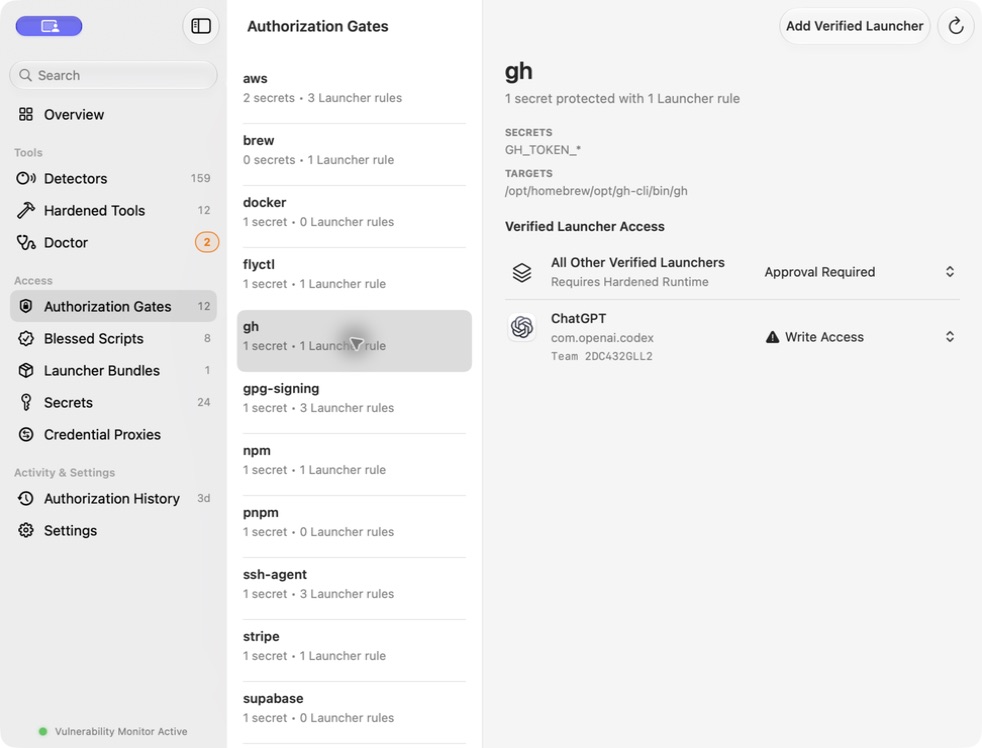
Terminal, Codex, and an unknown process can invoke the same executable. Automic Vault identifies the Verified Launcher and gives each Tool–Launcher pairing its own Authorization Policy.
Installed packages must cross the same boundary to use protected secrets. Supply-chain attacks such as the 2025 Shai-Hulud npm worm target credentials available to developer tools. Defense in depth still matters: run npm i in a dedicated terminal with low-to-no privileges in both Automic Vault and macOS TCC.
$ av save API_TOKEN
$ av save --project-directory=. API_TOKEN
$ av inject +API_TOKEN -- npm test
Nearest Project Value → Global Value
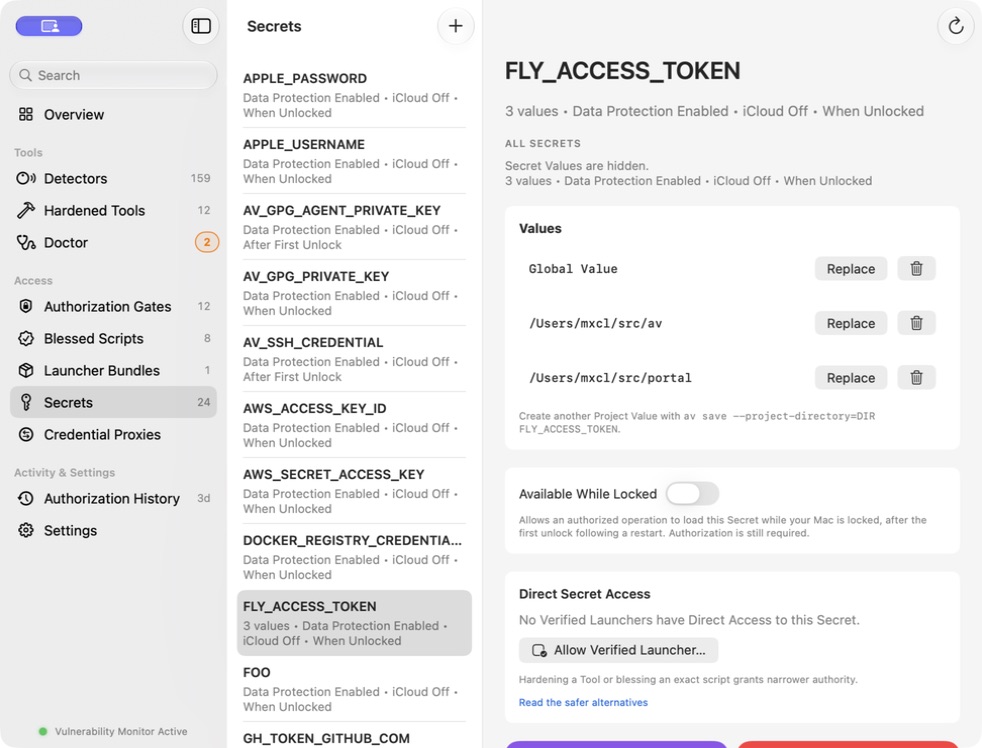
Project Values
A Secret Name can have one Global Value and multiple Project Values. Automic Vault selects the nearest value for the physical working directory. Every project can request API_TOKEN.
The Project Directory selects a value; it does not grant authority. The complete operation still crosses the same Authorization Gate.
This works with tools such as dotenvx: keep its project decryption key in Automic Vault, then apply it only to the reviewed dotenvx operation.
Temporary Access Grants
An eligible Codex task or Claude Code session can receive a visible, in-memory Temporary Access Grant for ten minutes. The grant is bound to the exact Verified Launcher, Tool-specific gate, runtime posture, and agent task.
It ends on expiry, inactivity, display sleep, update, service termination, or when you click End. It never covers direct secret access, mutation, disclosure, elevated application, or unknown operations.
Temporary Access Grant
The task identifier narrows the grant; the Verified Launcher remains the identity boundary.
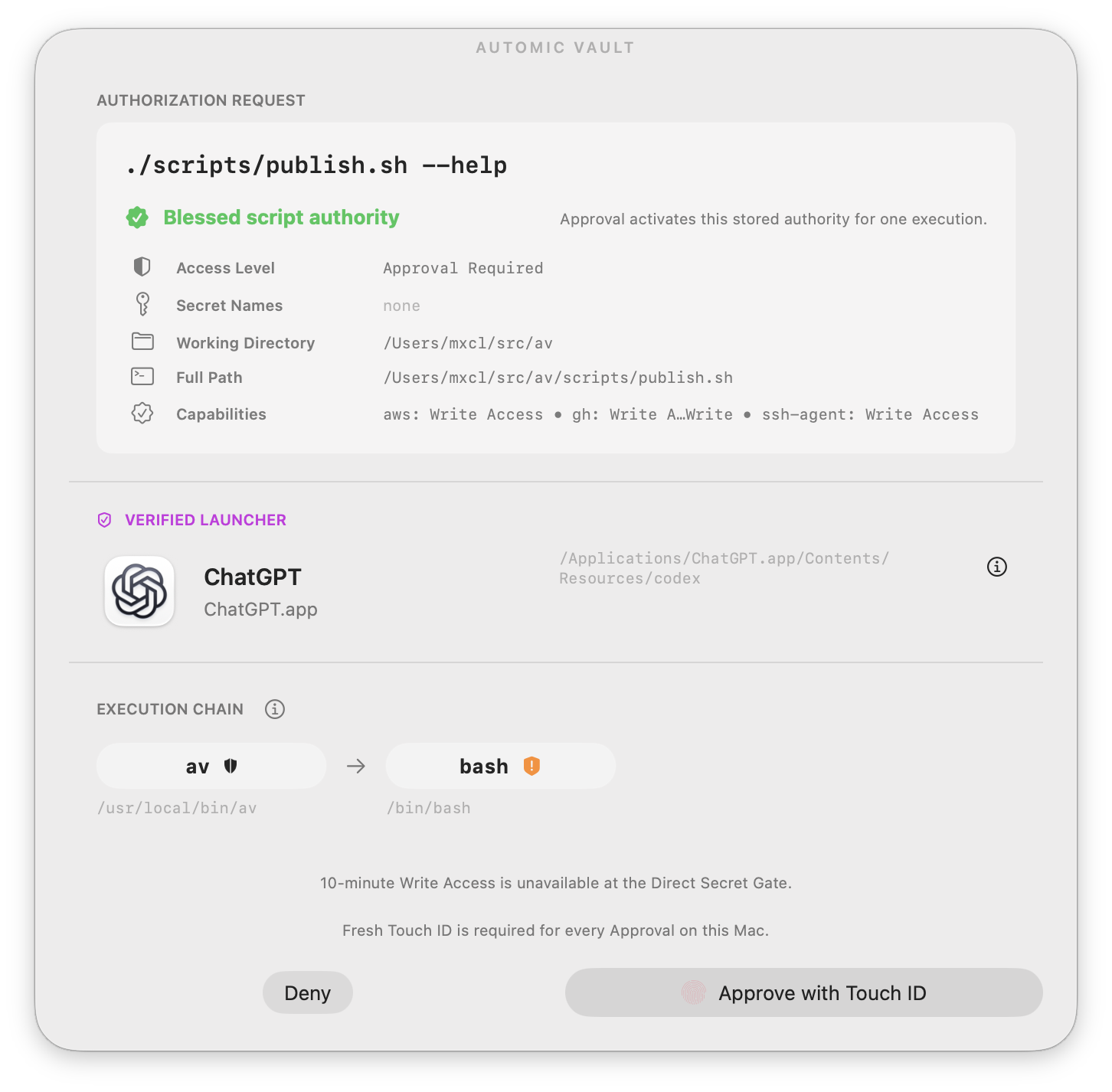
Blessed Script
A Blessing binds the path, contents, Secret Names, and Tool capabilities. Any edit invalidates it.
1 · iPhone
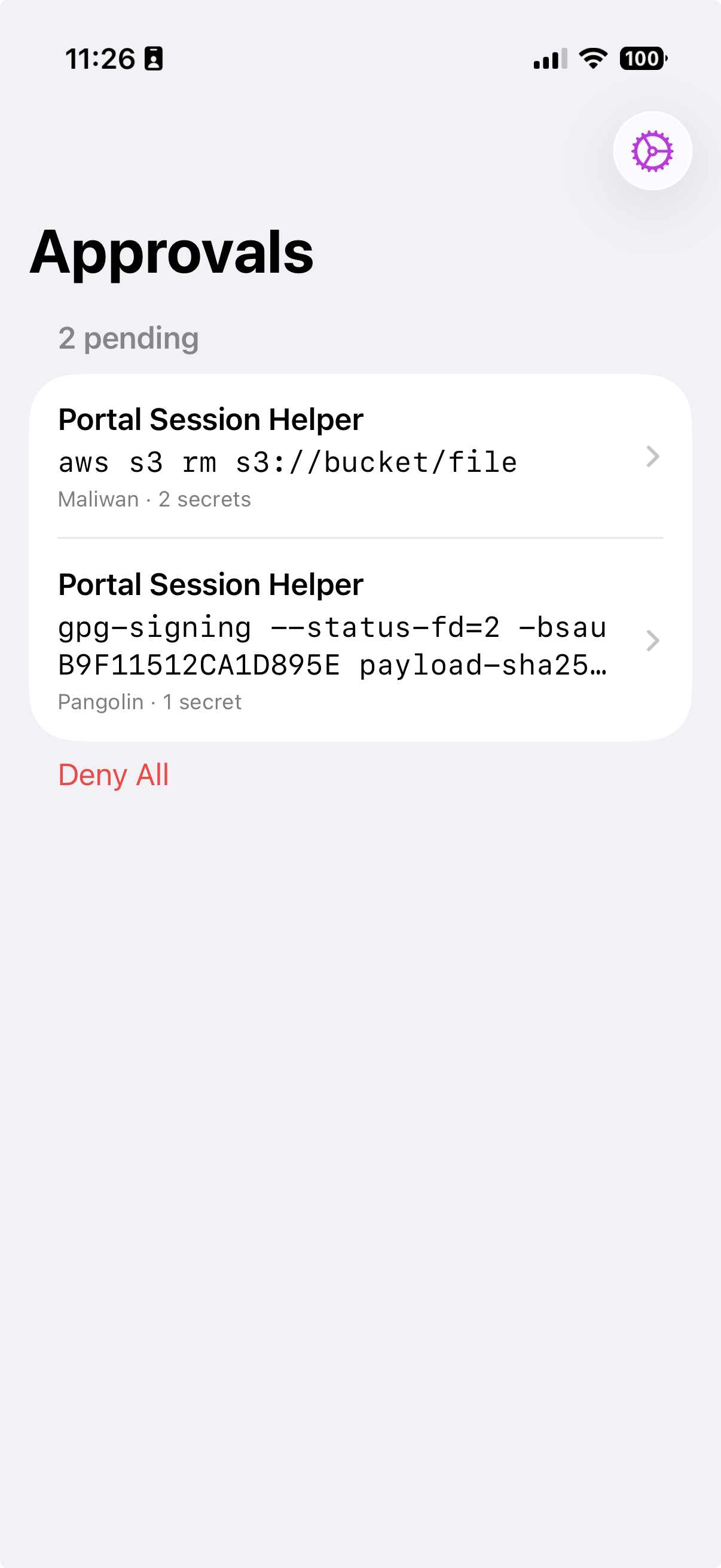
Open Automic Vault on an iPhone using the same iCloud account, enable iPhone Approval, and allow notifications.
2 · Mac
Open Settings → iPhone Approval on the Mac. Once enabled, every human Approval for that Mac goes to an eligible iPhone.
iPhone Approval
The iPhone carries your decision. The Mac still verifies the complete Authorization Request, rejects stale responses, records the decision, and enforces it. Secret Values and Authorization History stay on the Mac.
Routine requests can offer Approve Once in an authenticated notification. Unknown operation risk, Secret Disclosure, Unconstrained Secret Application, and security warnings require the full app. If the phone or relay is unavailable, the request waits until its Gate Client cancels. The Mac never restores an allow button.
iPhone Mirroring and Show on Mac can expose Approval controls on the Mac when biometrics are off. Disable them, or require Face ID or Touch ID on every eligible iPhone.
Current protection paths
AWS, Docker, Homebrew, and project scripts use different credential paths. Each Hardener changes the path for one Tool.
AWS
Long-lived default keys leave ~/.aws/credentials. Normal commands receive short-lived STS credentials from a native helper.
Docker
The gate verifies the live vendor-signed Docker process, ancestry, arguments, and requested registry before release.
Launcher Bundles
An exact enrolled snapshot is signed, installed root-owned, and revalidated on every request.
Homebrew
Read & Update can allow inspection and brew update while installs and upgrades still require Approval.
Direct Secret Gate
Exact Secret Name and Verified Launcher rules cover rare cases that cannot use a Tool-specific gate.
Detection
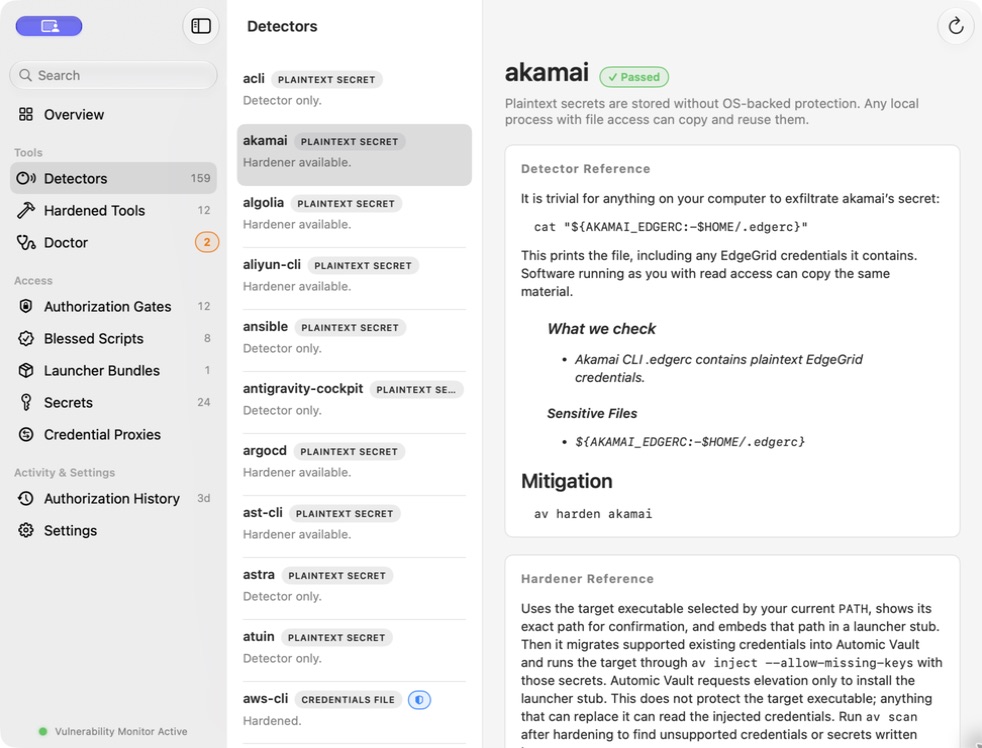
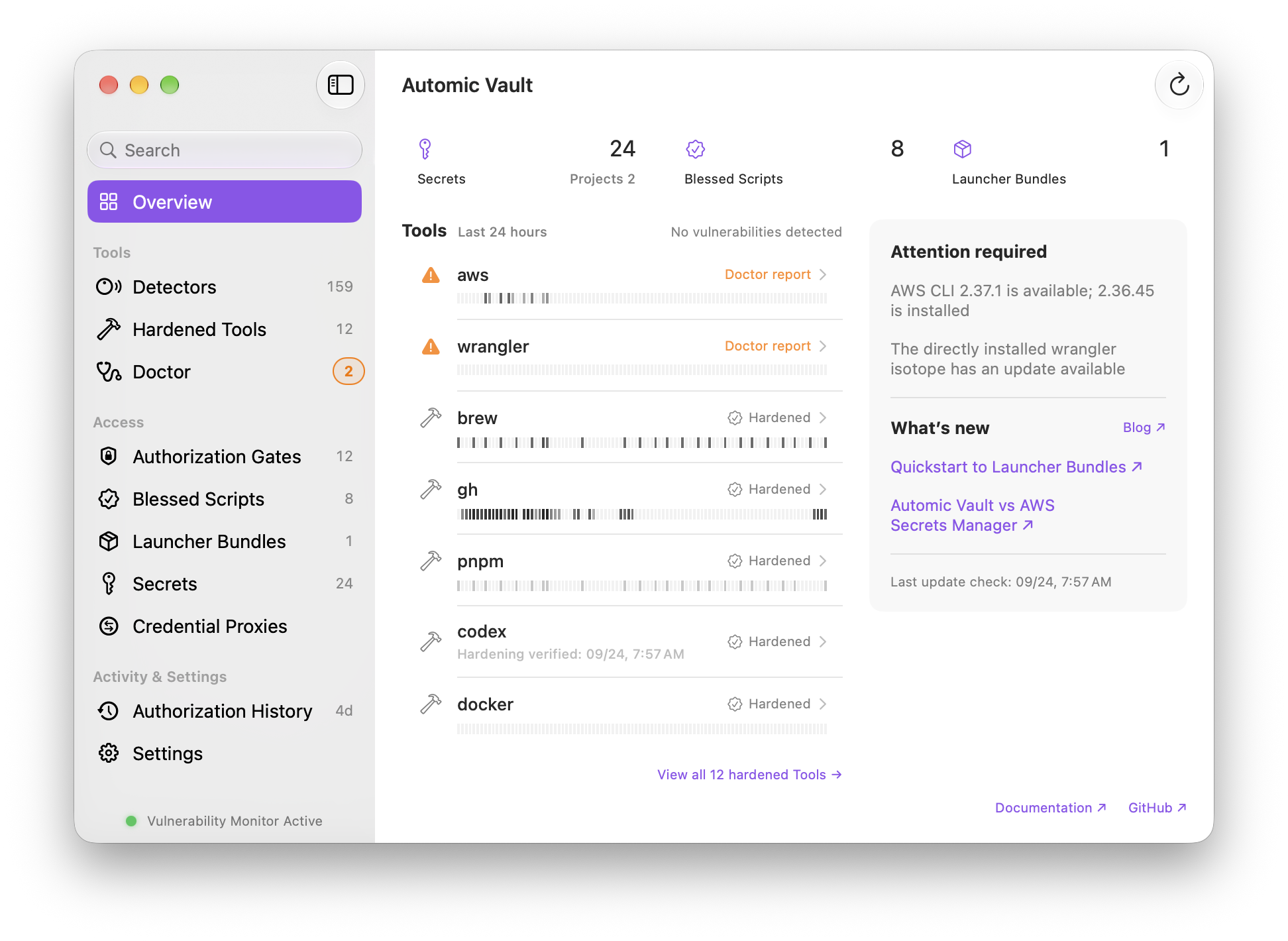
Continuous Detectors report supported Exposures and Hazards with concrete mitigation steps.
Local request history
Allowed or denied, policy or Approval: requests leave bounded local history with the decision, Launcher, Secret Names, command, and working directory.
Automic Vault scans developer Tools across ecosystems. It reports supported plaintext, environment, Keychain, helper, launcher, and configuration Findings and shows how to mitigate each one.
Security boundary
Automic Vault controls supported Secret Application and sensitive Tool operations at the Local Execution Boundary. macOS handles general process and filesystem security. Root or kernel compromise and arbitrary local destruction remain outside the product boundary.
Code signing proves identity and integrity, not intent. A compromised Target can leak a received Secret. Project paths select Values, and agent task identifiers narrow grants. Neither establishes identity.
Read the security model and CLI manual
Automic Vault costs nothing. The optional paid iPhone app moves every human Approval off the computer running the command.