
App guide
The screenshots use a harmless sample Secret Name; stored Values remain hidden.
Detectors
Detectors inspect supported credential locations and configurations
for Exposures, Hazards, and other
security-relevant Findings. Run av detectors --json for the
installed catalog. A selected detector explains its trigger conditions,
sensitive files, current result, remediation, and source-linked
rationale.
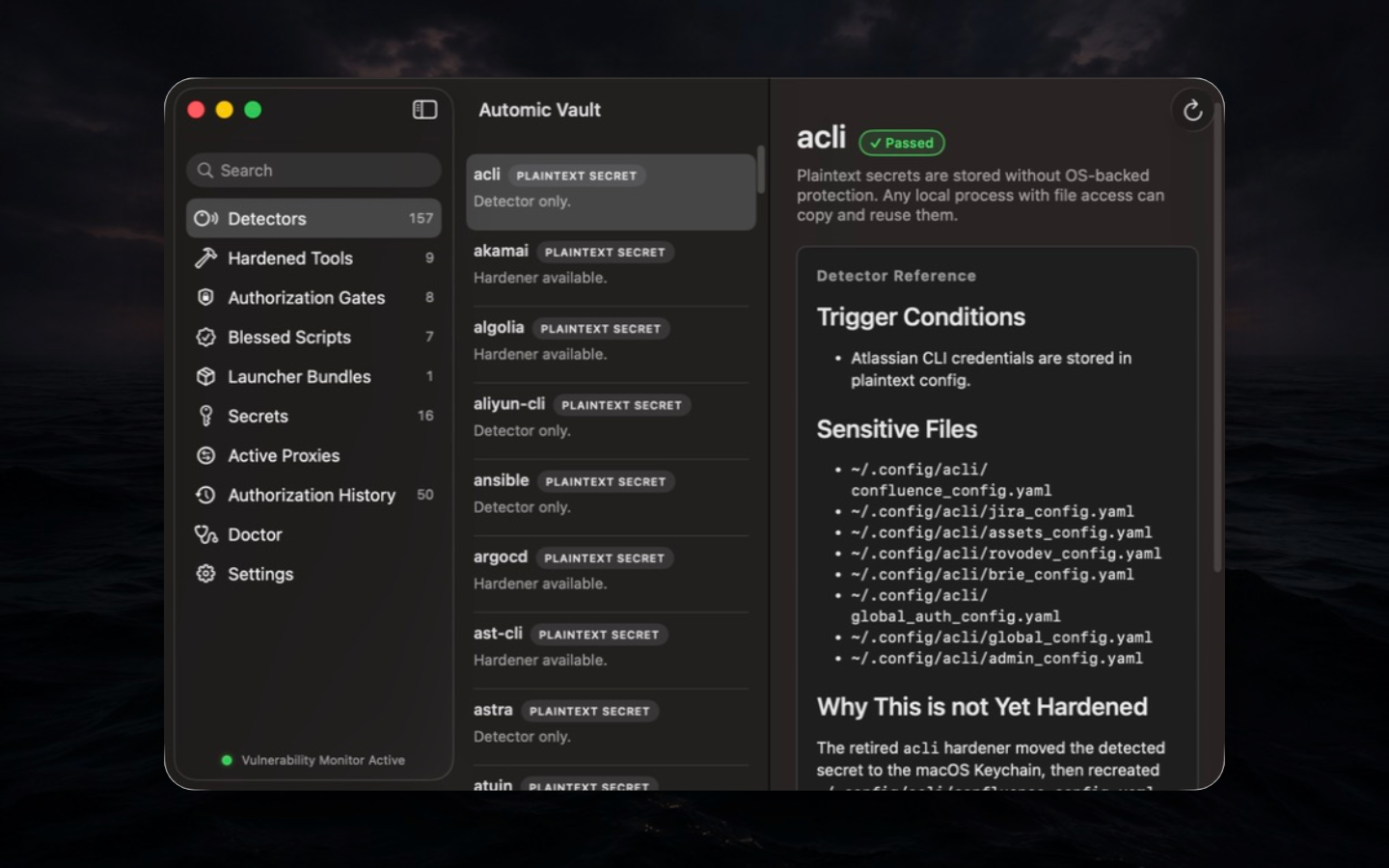
Security basis. Detection and remediation are separate operations. A Finding records evidence about known state. The operator reviews any credential move, configuration rewrite, or authority change as a separate Tool-specific migration.
Workflow. Start with av scan --show-all
for a human report. Use the app to read the selected detector's paths
and explanation. If a hardener is available, review it under Hardened
Tools before running av harden TOOL. Re-run the exact
detector and Doctor afterward.
Limits and failure modes. Coverage is catalog-bound. A clean result means the detector's trigger did not fire against the files it could inspect; it does not prove the credential exists nowhere else. Missing permissions, absent Tools, parse failures, and unsupported versions must be interpreted from the Finding, not collapsed into “secure.”
Hardened Tools
Hardened Tools shows installed hardeners and native protected routes. A detail view identifies the current launcher or Target, current result, what the hardener changes, why that design was chosen, caveats, and recent use.
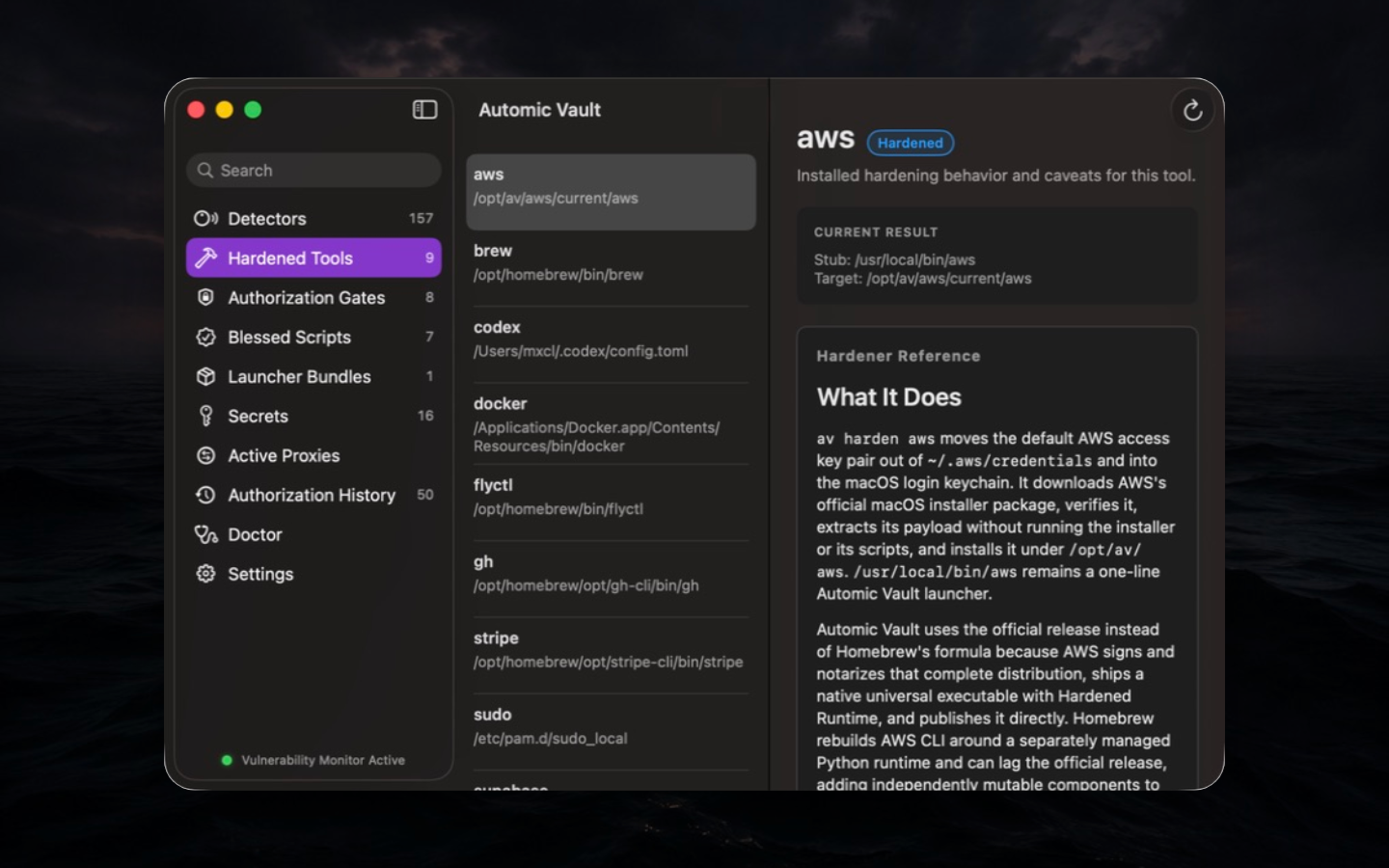
Security basis. A hardener removes a known plaintext or ambient-credential path and replaces it with a route Automic Vault can identify and authorize. The route is Tool-specific: AWS can issue short-lived STS credentials; Docker can bind access to a registry operation; GitHub can classify read and write API operations. Tool semantics provide narrower authority than generic environment injection.
Workflow. Read the complete embedded reference,
check applicability with av hardeners --json, run
av harden TOOL, then run av doctor TOOL.
Confirm command -v TOOL resolves to the protected launcher
described by the hardener. Keep the original credential until the
protected read path succeeds; remove it only after verification.
State changes. Depending on the Tool, hardening can
move a credential into Custody, install a signed vendor distribution,
replace a command with a small launcher, change protected ownership, or
configure a native credential-helper route. Run the hardener as the
current user and elevate only the steps that ask for
sudo.
Limits and rollback. Hardening protects the
credential route, not the Tool's intent. A Tool can still disclose a
Value after receiving it. Read each hardener's rollback notes.
av unharden supports Homebrew; use the installed hardener
documentation for other recovery procedures.
Authorization Gates
Authorization Gates are the operator's view of policy. Each Gate identifies the request type, protected Secret patterns, allowed Targets, the default rule for all other apps, Hardened Runtime requirements, and exact per-launcher overrides.
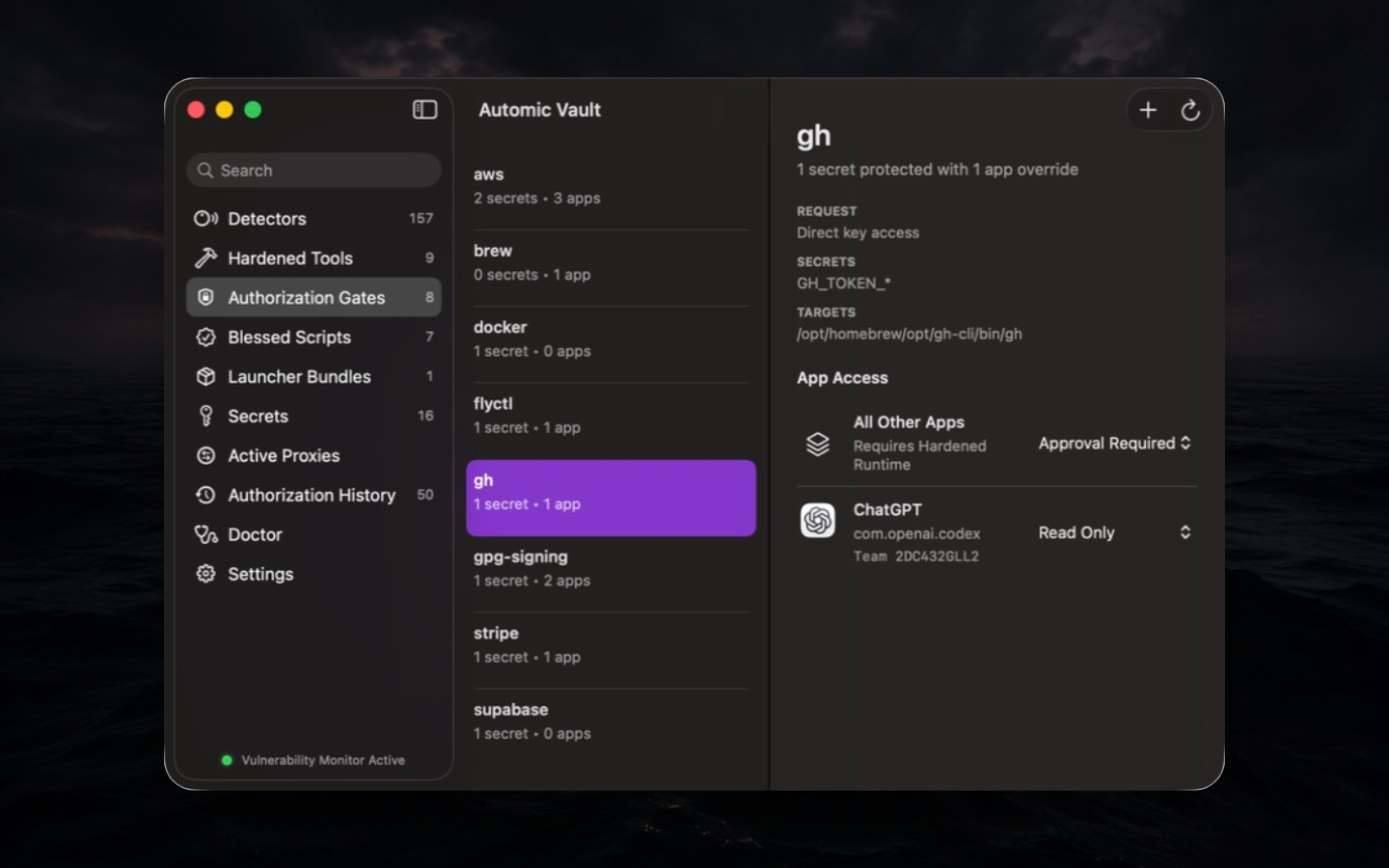
Security basis. A Gate evaluates the complete request envelope. The same Secret Name can therefore be Read Only for one Verified Launcher, Approval Required for every other app, and unavailable to a Target whose runtime or path does not match. Per-launcher policy narrows authority while live identity and request validation remain in force.
Workflow. Select the Gate for the Tool, inspect Targets and Secret patterns, then review Default Policy before adding a Launcher rule. Begin at the least powerful Access Level that supports the workflow. Trigger a harmless read and inspect Authorization History to confirm the matching rule.
Failure modes. A denial after an app or Tool update can mean the selected binary, code signature, runtime, or enrolled generation changed. A missing Gate may reflect the installed build's catalog or UI state. Runtime Gate definitions come from the signed app's static catalog; a failed hardener diagnostic never moves a Tool-specific request to the Direct Secret Gate. Fix the Tool-specific mismatch instead of substituting broad Direct Access.
Descendant Launcher rule overrides
The nearest Verified Launcher with an explicit Access Level normally supplies policy. At the GitHub gate, Terminal with Write Access does not displace a nearer agent's Read Only rule. Intermediaries with no explicit Access Level are transparent.
To let a harness supply policy for Launchers it starts, open Authorization Gates, select a gate, and add or select the harness's explicit rule. Choose its Access Level, enable Override descendant Launcher rules, then choose Review Changes and approve. The option defaults off, including existing rules. It applies to that Launcher at that gate; the outermost eligible override wins.
| Harness with override enabled | Child agent | Recognized GitHub write under Launcher policy |
|---|---|---|
| Read Only | Write Access | Requires Approval |
| Write Access | Read Only | Automic authorization with an override warning |
| Write Access | Deny | Denied |
These examples assume verified live identities, accepted runtime protections, and no other denial or independent authority source. Direct Access, Blessings, and Temporary Access Grants retain their own semantics; this setting is not a ceiling over all authority or an execution sandbox.
The Mac verifies live original-parent links between the ancestor and descendant. Helper aliases for one process and Retained Launcher Provenance alone cannot prove that relationship. Missing override evidence requires Approval rather than falling back to a potentially broader child rule. Runtime requirements on superseded explicit rules still apply. Explicit Deny remains a veto, and Unknown operations still need Approval unless denied.
Disabling the option or removing an enabled override rule also requires Approval: a child may have broader access. Launcher Bundle cleanup cannot remove an enabled override unattended; remove its rule through the reviewed gate flow first. History and automic notifications warn when an override permits an operation that a child's explicit rule would have sent to Approval.
SSH retains its nearest-Launcher boundary: ordinary ancestor rules do not supply fallback access, and an ancestor override cannot suppress default Deny when the nearest Verified Launcher has no explicit rule. Each SSH key has its own gate.
See the canonical Descendant Launcher Rule Override and ADR 0065.
Denial controls
Default Policy combines the default Access Level and an optional Denial Threshold. A threshold denies its selected level and above without Approval; Unknown only, where supported, denies only unclassified operations. A matching Launcher rule uses its own denial boundary. Denial-only rows inherit the default allow level. Weakening denial requires Approval.
Explicit matching denials win over allow rules, Blessings, Temporary Access Grants, and decision reuse. Default denial applies without a matching Launcher record, even when no Launcher can be verified. SSH checks for a record on the nearest Verified Launcher when deciding whether default denial applies.
After two eligible Approval presentations for the same Launcher and gate within thirty seconds, the Mac Deny menu and full iPhone app offer a two-minute denial at the requested operation level and above. You must select it; prompt frequency never activates it. Unknown operations do not offer this action. End it from the Mac menu bar or let it expire to return to ordinary policy. It cannot revoke Secrets already released and expiry never approves an operation.
Blessed Scripts
See the Blessed Scripts guide for a complete example.
A Blessing binds a reviewed script to its canonical path, SHA-256 digest, interpreter, Script Declaration, Secret Names, declared Capabilities, and optional Launcher Endorsements. The app shows the exact enrolled state and can revoke or replace it.
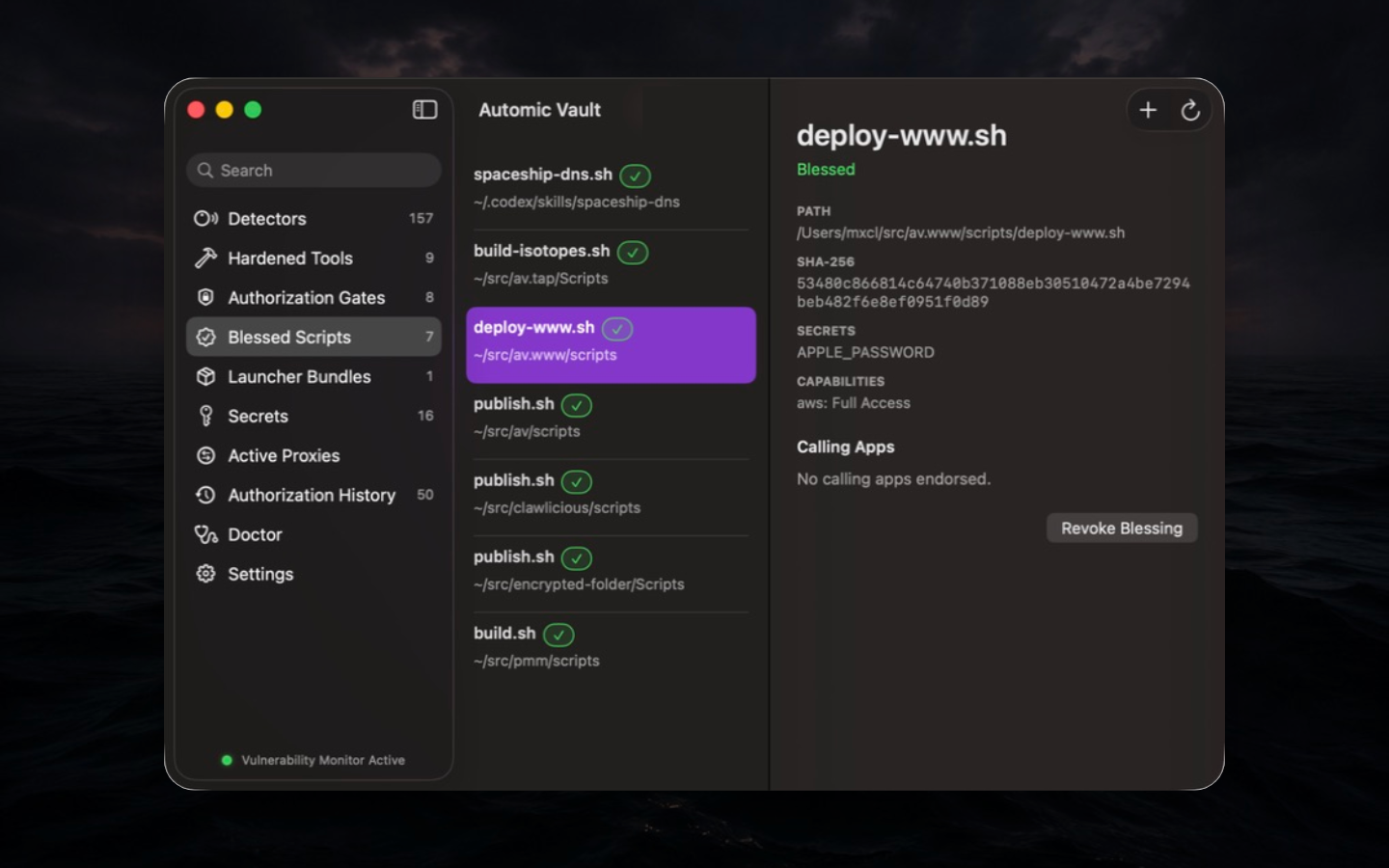
Security basis. Scripts are mutable text and usually
run through a powerful interpreter. Automic Vault therefore approves a
verified snapshot rather than trusting the filename. Execution normally
uses a checked /dev/fd/N snapshot. If the interpreter
cannot execute that snapshot, you may accept canonical-path execution
during Blessing review. That exception warns on every run because
same-user code can edit the file between verification and execution.
Existing Blessings need a new review to acquire it.
AV_SCRIPT_PATH and AV_SCRIPT_DIR identify the
canonical source.
Workflow. Put the absolute av inject
shebang first, place the optional Script Declaration immediately after
it, review requested Secret Names and capability ceilings, then run
av bless PATH. Use --endorse-launcher only
when the exact Verified Launcher should receive automic authorization
for the script.
Changes and revocation. Editing, replacing, or moving the script invalidates the Blessing. Re-blessing is a new security decision; review the displayed diff. Revocation removes policy but does not undo external actions from earlier runs.
Limits. A capability is a ceiling, not a grant. A blessed script can still misuse every operation inside its approved ceiling, and an interpreter remains a large Target. Keep scripts short, deterministic, and narrow.
Without a capabilities manifest, a script inherits its execution
context's automic authority.
capabilities: { inherit: true } makes this explicit.
capabilities: {} instead blocks inherited automic
authority, including Launcher policy, Direct Access Rules, outer
Blessings, and Temporary Access Grants, for later gated operations
attributable to that live execution. The script's own requested Secrets
still need separate authorization. This ceiling does not sandbox ungated
commands or survive loss of observable script ancestry.
Launcher Bundles
A Launcher Bundle packages one regular, single-file Mach-O CLI into a signed, Hardened Runtime app and installs a command link for it. The detail view exposes the bundle identifier, signing mode, installed location, command, selected-source and signed-payload hashes, entitlements, and enrolled generation.
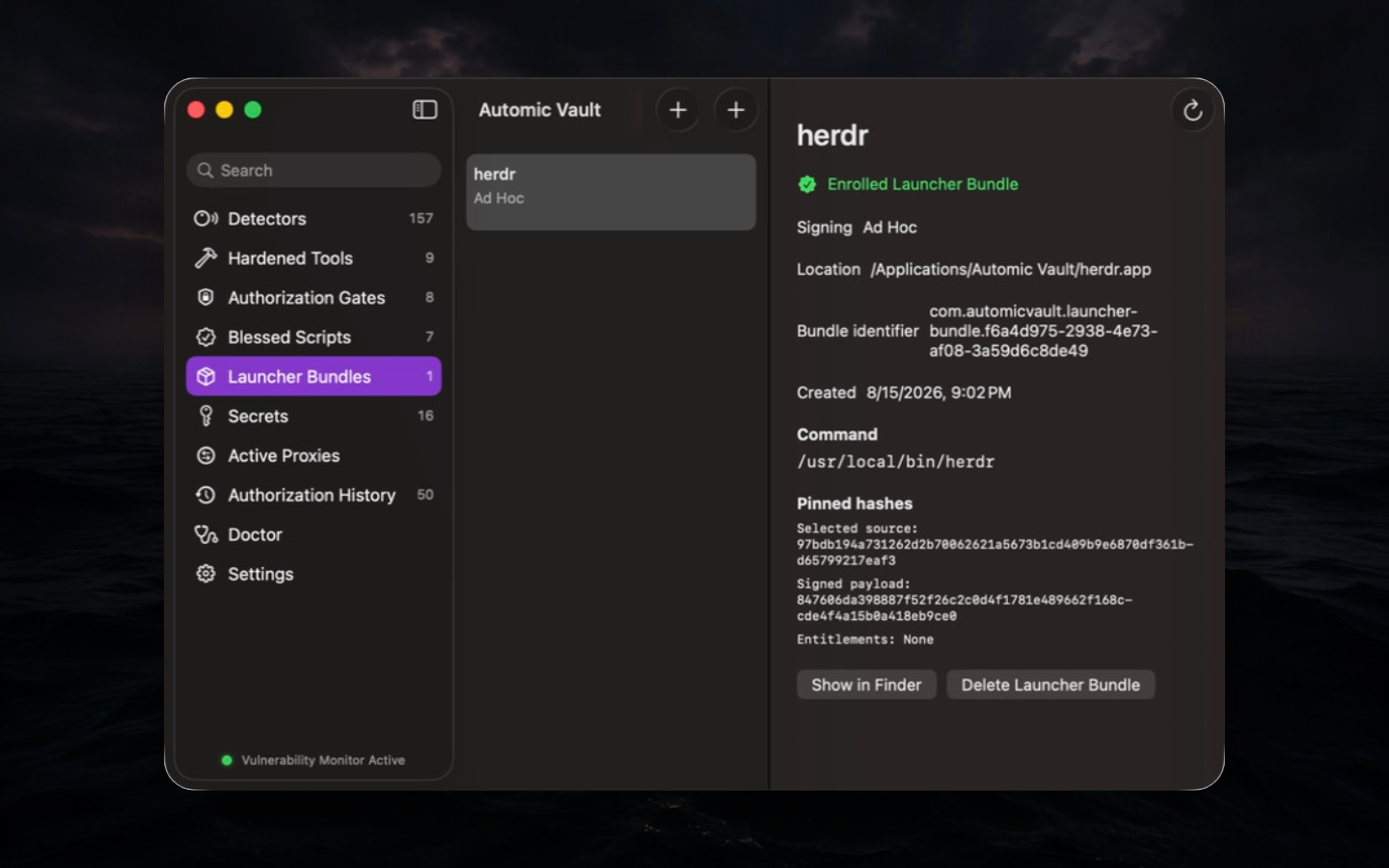
Security basis. A mutable developer CLI often lacks the stable app identity needed for launcher policy. Bundling creates an exact ad-hoc-signed snapshot, installs it under protected ownership, and enrolls that generation. Automic Vault verifies the digest, signature, enrollment, and runtime again when it is used.
Workflow. Choose the actual Mach-O executable, name the bundle and command, review compatibility exceptions, prepare the snapshot, approve installation, and verify the installed hashes in the detail view. Rebuild and re-enroll after an update; do not silently replace the payload in place.
Compatibility exceptions. JIT, unsigned executable memory, and disabled library validation widen the attack surface. Enable only the exception the CLI provably requires. A payload with different entitlements represents a different review decision.
Deletion and limits. Deleting revokes enrollment and related launcher rules before the bundle is moved to Trash. A Launcher Bundle establishes identity and integrity. It supplies no trust judgment, safety review, or sandbox.
Secrets
Secrets is the inventory of Secret Names and their Value sources. The app shows availability and source labels, but never redisplays stored Values. One Secret Name can have a Global Value and multiple Project Values.
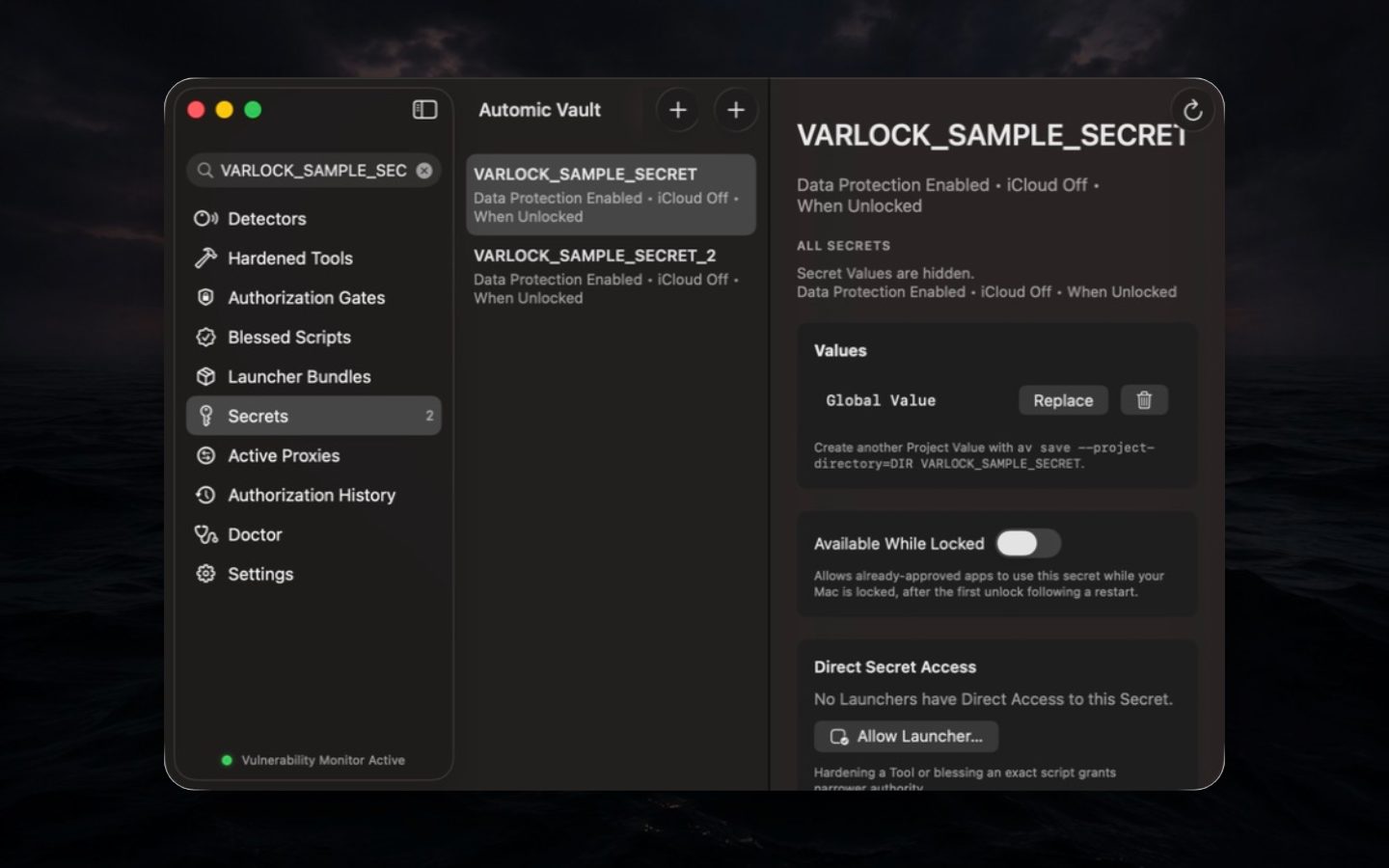
Security basis. Operators can reason about names, sources, selection, and authority without turning routine administration into Disclosure. Replace is a write-only operation: enter the new Value, but do not reveal the old one.
Workflow. Search by Secret Name, verify the selected
Value sources, inspect availability, and review Direct Secret Access.
Use av save for terminal entry, --multiline
for hidden multiline input, or --stdin for exact redirected
input; use the app to replace, delete, rename, or change availability.
After renaming, recheck scripts, Gates, and integrations that requested
the old name.
Destructive changes. Deleting the final Value removes the Secret and its Direct Rules. A rename changes the requested name and can break consumers. These actions do not remove copies already received by Targets or stored elsewhere.
Limits. Availability is not authorization, and a Secret Name is not a credential type. Automic Vault does not infer that two differently named Values are equivalent or rotate an external credential when a stored Value is replaced.
Active Proxies
Active Proxies lists live proxy sessions with Target, PID, authorized Secret Names, start time, request count, allowed origins, and individual requests.
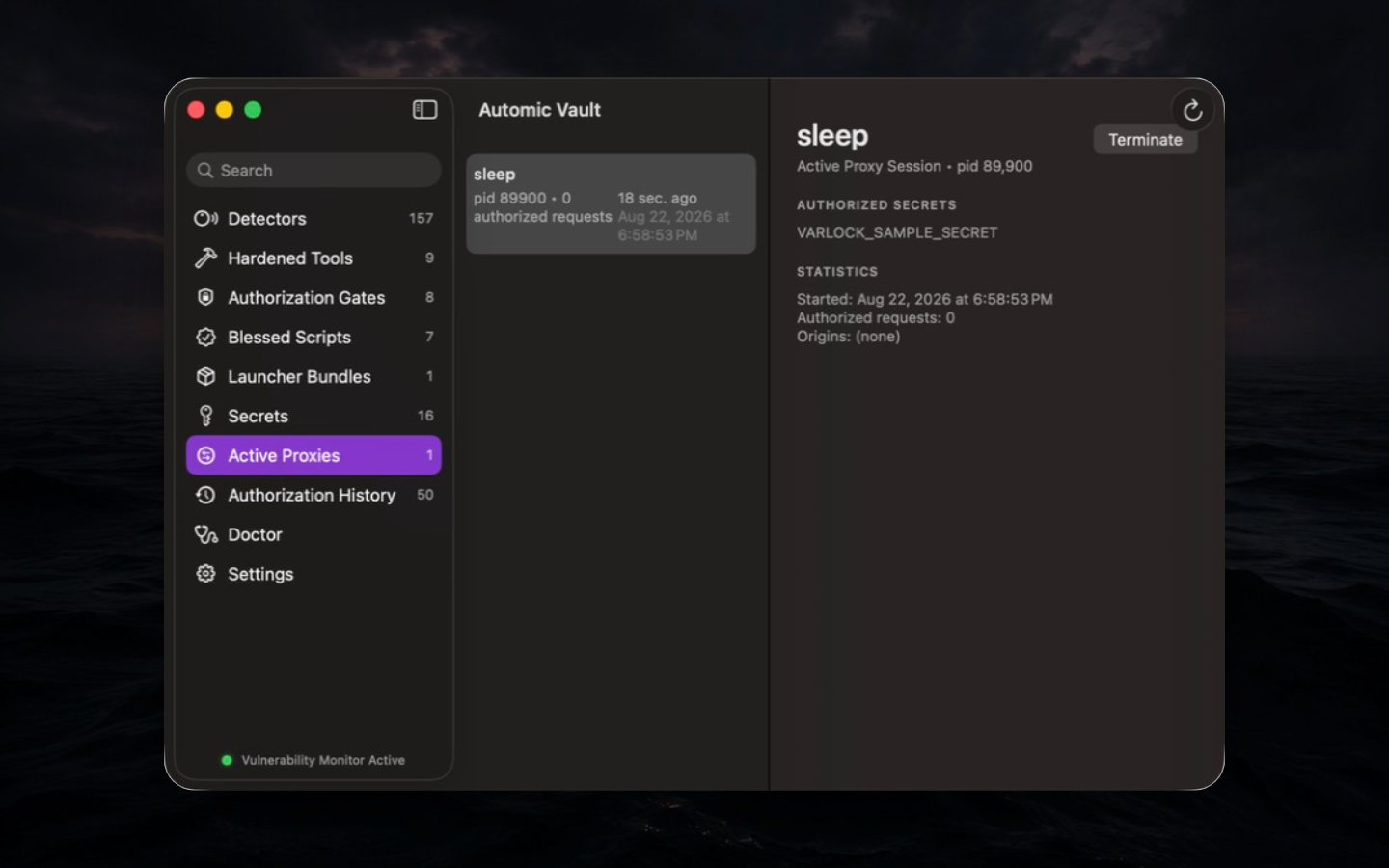
Security basis. av proxy gives the
Target random Secret References and a session Proxy Credential instead
of raw Values. Destination rules are created only after approval and
stay in memory, scoped to the session and origin.
Workflow. Confirm the Target and Secret Names in the session Approval, watch origins appear as the Target uses them, and terminate the session when the task ends. An unexpected origin is a reason to stop and investigate, not a prompt to approve broadly.
Termination. Terminating ends the registered session, references, Proxy Credential, and memory-only rules. It does not recall a bearer credential from a destination that already received it or terminate unrelated Target state.
Limits. A Target may bypass configured proxies or open another network path. Proxying narrows delivery and supports origin-specific decisions; it is not network containment.
Authorization History
Authorization History records recent allowed and denied requests with decision, decision source, command, reason, Verified Launcher, Secret Names and selected sources, Gate Client, Target, runtime, and working directory.
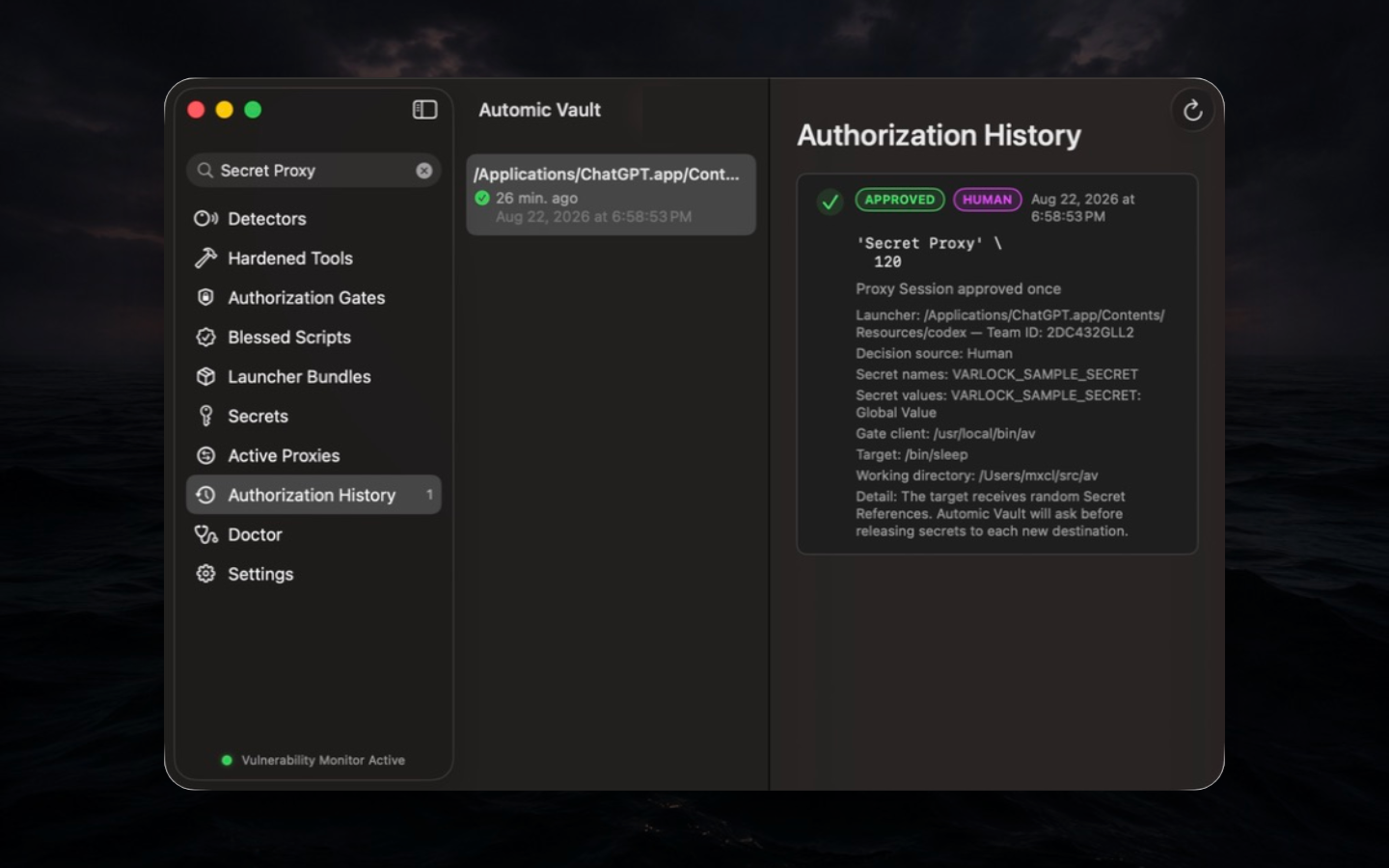
Security basis. A decision without its inputs is not explainable. History keeps enough of the request envelope to answer why a rule matched, why a human was asked, and which Value source was selected. An allowed Secret Use is persisted and verified before release.
Workflow. Filter by Tool, launcher, command, Secret Name, or decision. Compare the Decision source and reason with current Gate policy. For a denial, fix the first mismatched invariant: Target, runtime, launcher, Value source, or operation. Do not widen every rule. Records with the required metadata offer Configure Launcher…, which reverifies the installed Launcher before opening its exact gate rule or the reviewed rule-creation flow. Opening the editor grants no authority.
av history reads the same local history through the
signed CLI. It shows the newest 50 records by default;
--since 7d selects a seven-day window. Each read requires
Approval unless that exact Verified Launcher has Authorization History
Access in its own Settings row. The av list grant does not
apply. See the CLI reference. An
unverifiable Launcher cannot use the automatic grant and needs
Approval.
Assurance boundary. History is local and bounded. It is not append-only, tamper-proof, remotely replicated, or guaranteed to contain every event after same-user code damages local state. The rolling store retains encrypted record payloads for up to 30 days and a configurable size limit of 1–1024 MiB (default 25 MiB), whichever bound comes first. SQLite overhead is additional. Change the payload limit in Settings; it applies transactionally on the next history access. The app browses retained records by day. Reads exclude expired records immediately; writes and background maintenance after reads prune them. An unused database may retain expired ciphertext until its next access. Export security evidence elsewhere when the audit requirement exceeds this local operator record.
Doctor
Doctor verifies the installed protected route: ownership, launchers, dependencies, Target selection, exact file content, permissions, configuration, and PATH precedence. Healthy Tools disappear from the problem list; failures include a reason and remediation.
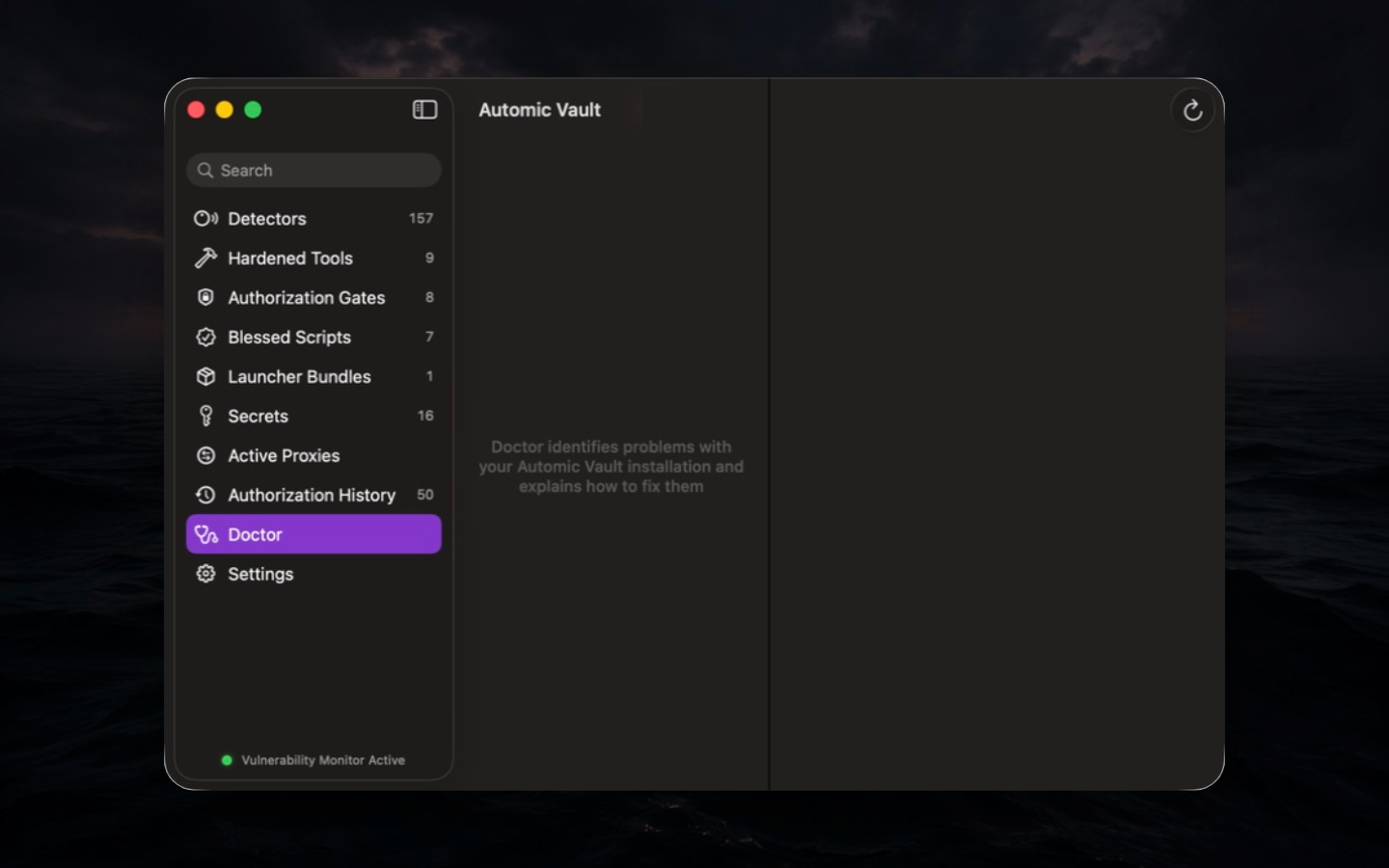
Security basis. Policy is only as strong as the route that reaches it. A correct Gate cannot protect a command if PATH resolves to an unprotected binary, a launcher is writable, or the expected credential remains in plaintext.
Workflow. Run av doctor after
installation, hardening, Tool updates, PATH changes, and policy
failures. Use av doctor TOOL --json in diagnostics, but
present the human remediation before changing ownership or files.
Limits. Doctor checks known invariants for supported Tools. It is not a malware scan, filesystem integrity monitor, code review, or proof that every process on the Mac is healthy.
Settings
Settings controls human Approval routes, feedback for automic
authorization, retained launcher provenance, GPG Signing, SSH Agent,
av list policy, the separate av history grant,
history payload size, and version/runtime information. Each control
changes a different boundary; enabling one does not implicitly enable
another.
Use Settings after reading the corresponding section below. Security-sensitive changes require Approval or system authentication where the control demands it.