
Approval and authority
The Approval window includes an Execution Chain with available code-signing and runtime posture. Observed ancestors above the selected Launcher supply diagnostic context, not authority merely by appearing there. Signing an interpreter does not authenticate the scripts, dependencies, or plug-ins it loads.
Touch ID Approval
Touch ID Approval authorizes an exact request on the Mac with a fresh biometric. It accepts neither the login password nor Apple Watch fallback, and pointer or keyboard automation cannot activate the allow action.
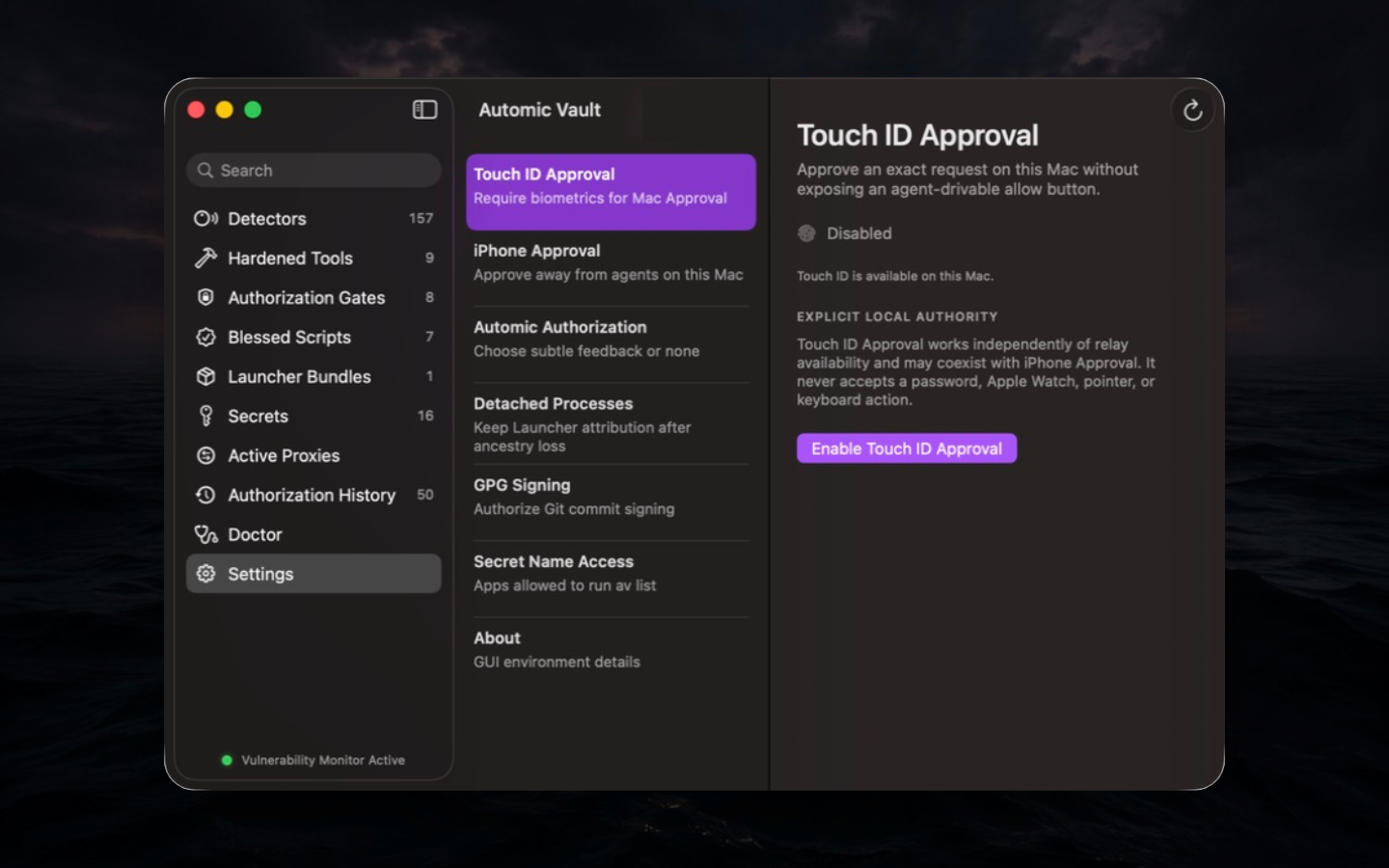
Why it exists. A local approval button can share the same input surface as an agent. Fresh Touch ID supplies a human gesture the agent cannot synthesize while keeping the decision at the Local Execution Boundary.
Enabling Touch ID Approval requires the current human Approval surface and Touch ID on this Mac. The choice is Keychain-protected. By default, the Approval window starts a fresh biometric evaluation when displayed; a successful touch approves once. A separate presentation setting restores click-then-system-prompt behavior. Broader Approval scopes use their own fresh evaluation. Touch ID may coexist with iPhone Approval; the first valid result wins.
Failure modes. Touch ID availability, enrollment, lockout, and hardware state can make Approval unavailable. Disabling the setting returns to the configured non-biometric route; it does not create a password fallback inside Touch ID Approval.
iPhone Approval
An eligible iPhone on the same iCloud Keychain account can carry human Approval while the Mac remains the Local Execution Boundary.
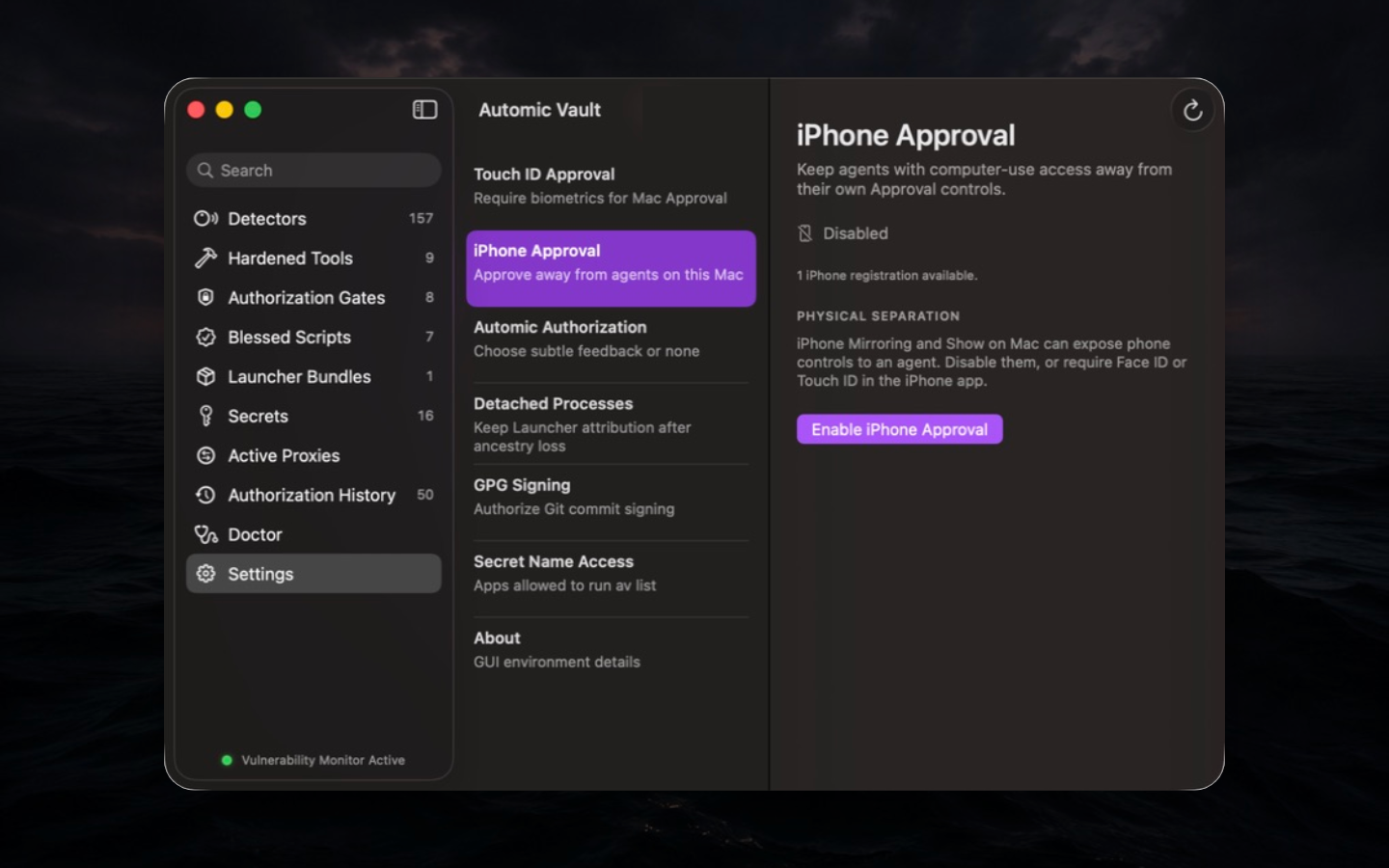
Security basis. When an eligible phone route is enabled, the Mac exposes no local pointer or keyboard allow action. Separately enabled Touch ID Approval remains available on the Mac. Phone biometric protection is optional and set independently on each iPhone. When enabled, Approval requires Face ID or Touch ID on that physical phone, with no passcode fallback; Apple Watch Approval is unavailable. Without it, actionable notifications may appear on Apple Watch. iPhone Mirroring and Show on Mac can weaken physical separation: enable biometric protection on every eligible iPhone to retain that boundary.
An allow response requires an active, App Store-verified iPhone Approval subscription. Denial does not. A subscription never grants operation authority. Unknown operations, Secret Disclosure, Unconstrained Secret Application, and requests with security warnings require review in the full iPhone app.
The phone's Request History holds at most 50 protected local summaries of sent responses and received cancellations. It does not establish that the Mac accepted a response or allowed an operation and does not replace Authorization History on the Mac. Background cancellation delivery may be delayed or lost.
Recovery. Recovery uses system authentication, rotates the account key, and invalidates all prior phone registrations across the account. Recovery disables iPhone Approval and cancels pending requests. Re-enrollment is account-wide; ordinary disable and re-enable does not rotate the key.
Availability. Network, relay, iCloud Keychain, device lock, and biometric state can prevent the phone from carrying Approval. Unavailability is not a reason for the Mac to manufacture a weaker local allow action.
Remote work from a locked Mac. iPhone Approval does not unlock the Mac's Keychain. Before leaving an agent running remotely, configure Available While Locked for each Secret it needs. A Secret that requires an unlocked Mac can stop the request before Approval, so you receive no phone notification.
Automic Authorization feedback
Policy-authorized operations can show a notification, flash the menu bar, or show nothing. This controls feedback, not authority.
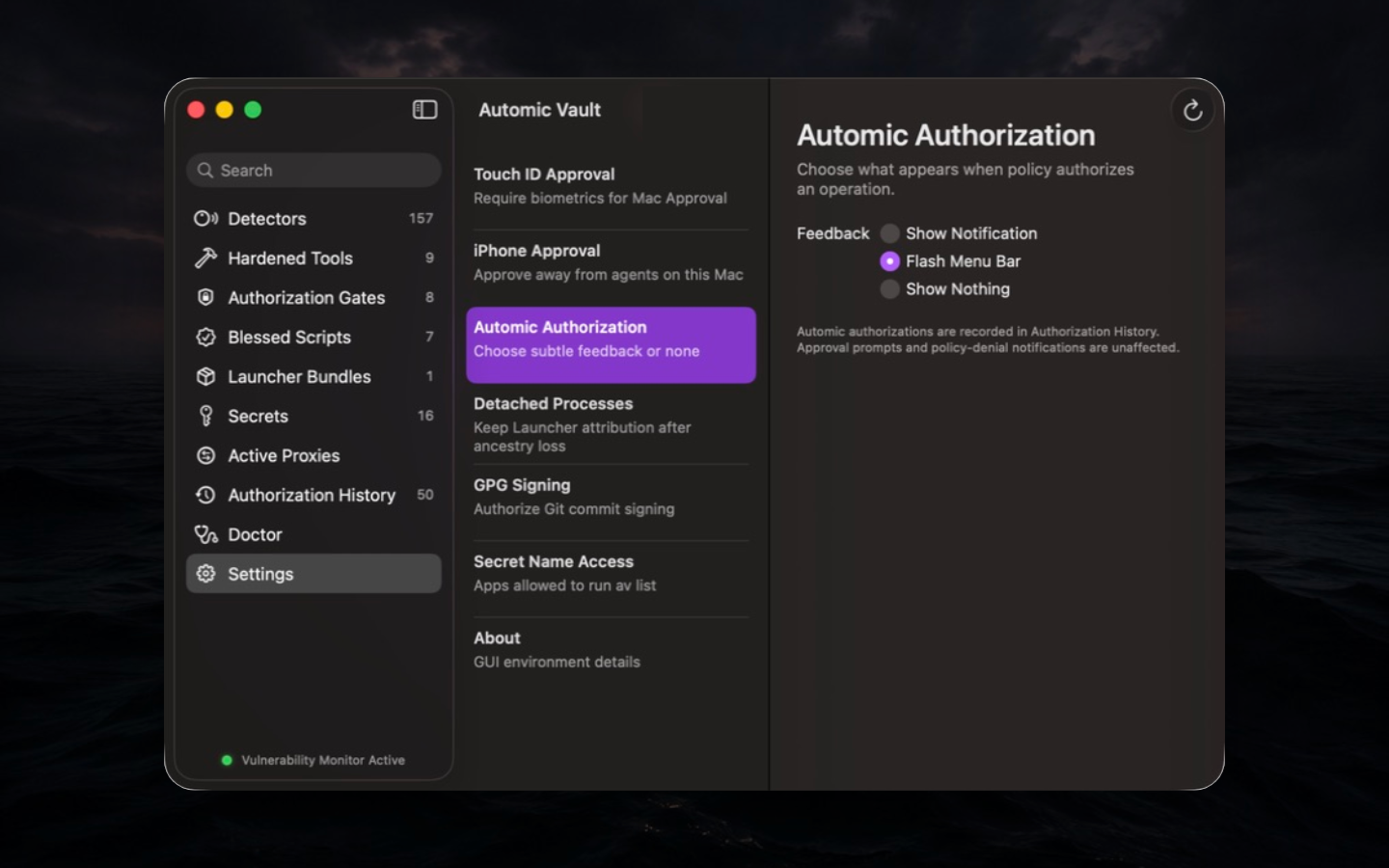
Authorization History remains populated in every mode. Approval prompts and policy-denial notices are unaffected. Choose quieter feedback only after the team knows where to inspect History; silence is not an audit control.
Temporary Access Grants
For a supported agent workflow, the Approval menu can grant ten minutes of memory-only Write Access instead of approving only once.
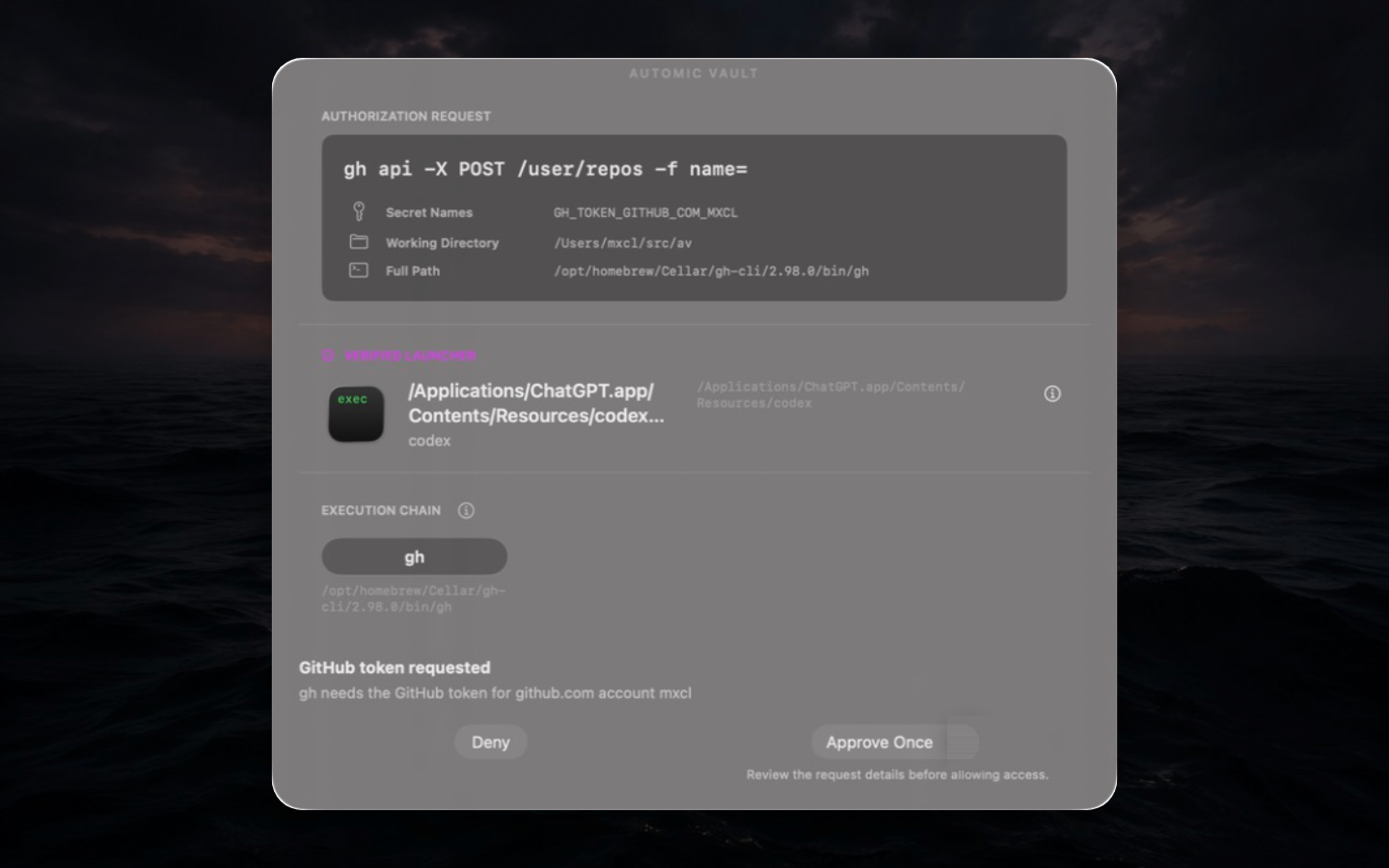
The grant binds to the exact Tool-specific Gate, Verified Launcher, accepted runtime, and Agent Task Context. It excludes Direct Access, Secret mutation, Disclosure, elevated operations, and unknown operations. The task label narrows matching but is forgeable context, not identity. The Verified Launcher and live request checks remain essential.
The initial budget is ten active minutes. A persistent strip shows remaining time, successful-use count, last use, and actions to add ten minutes, suspend or resume the countdown, or end the grant. Suspension also suspends authority. An optional setting collapses the strip after five seconds into a visible warning tab; the menu-bar shield stays orange and the menu retains the End action.
Grants are revoked when the user session becomes inactive, displays sleep, an update begins, or the service exits. A queued request may match a grant at its decision point only after fresh live checks and within that exact scope. An explicit empty script capability ceiling blocks grant matching.
Detached Processes
Detached Processes controls Retained Launcher Provenance: whether an eligible live descendant may keep the verified launcher chain after its original parent exits.
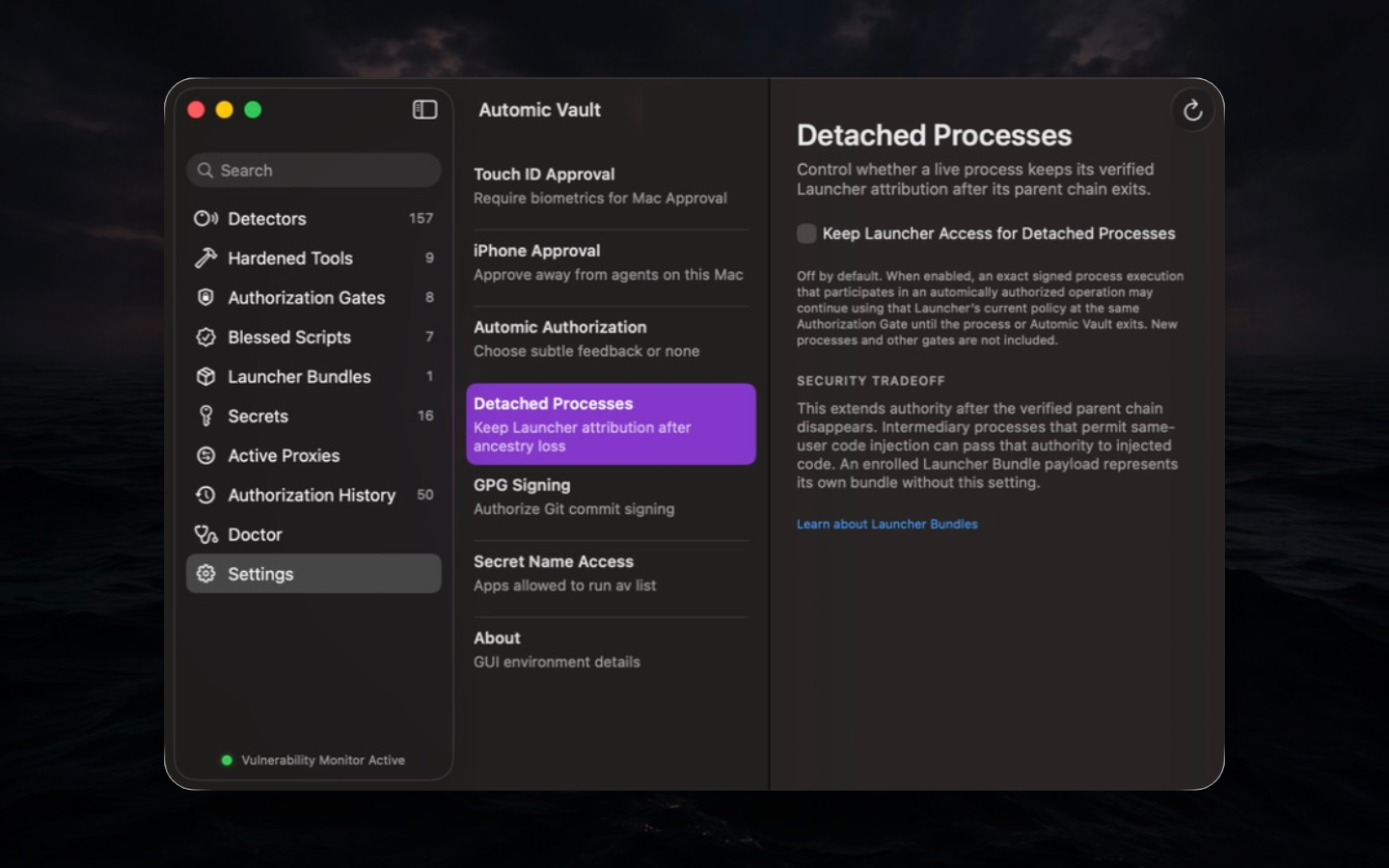
Security tradeoff. Enabling extends authority after the observed parent chain disappears. Same-user code injection can pass that retained authority to injected code. An exact live enrolled Launcher Bundle payload can represent its own bundle after the launcher exits without enabling this setting.
Scope. Retention is execution-scoped. It keeps neither an old authorization decision nor blanket authority for new processes or Gates. Enabling requires Approval; disabling is immediate. Leave it off unless a real daemon or detached worker cannot preserve the original launcher chain another way.
GPG Signing
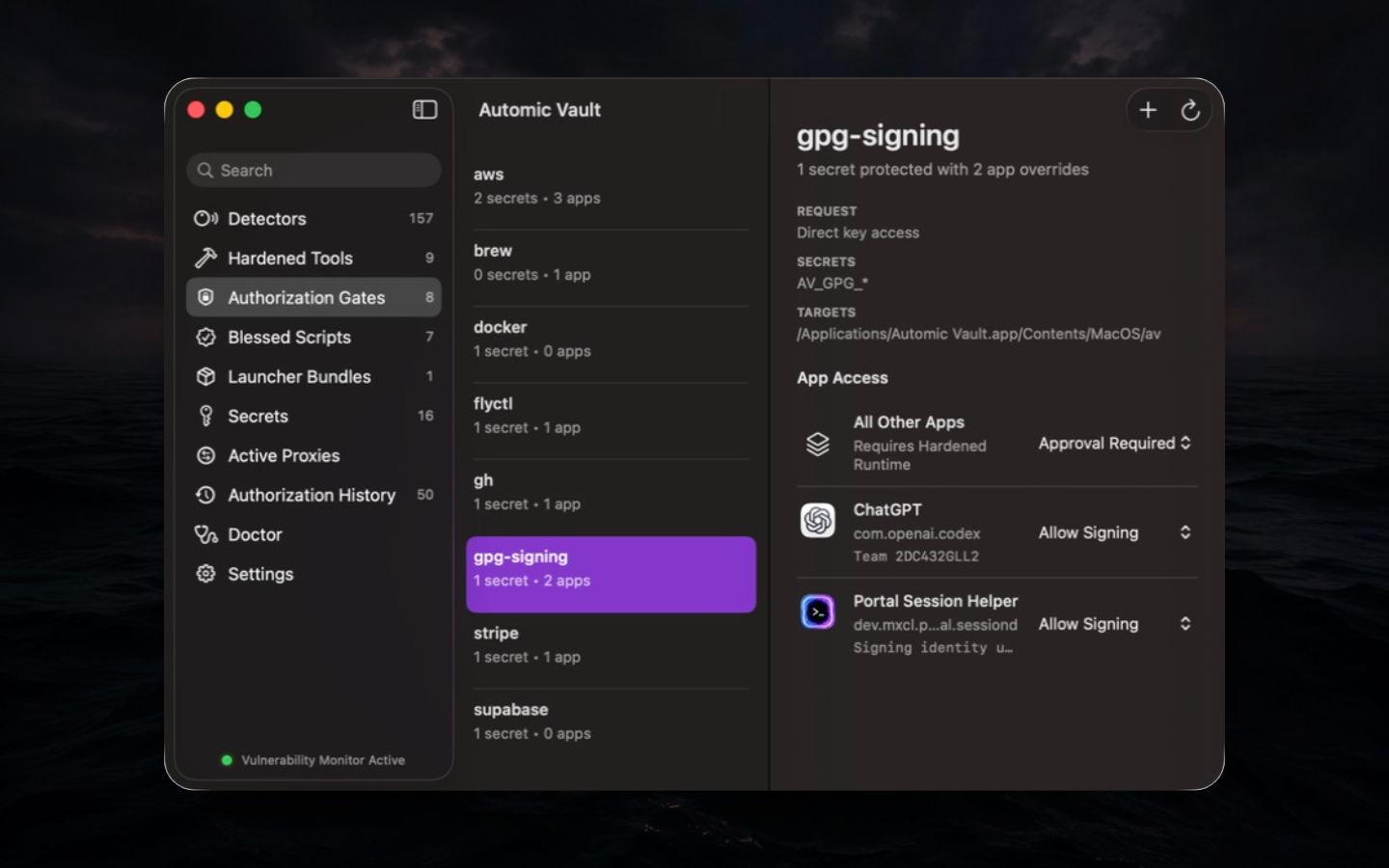
GPG Signing stores an armored OpenPGP private key in Secret Custody
and routes Git through av-gpg and av gpg-sign.
Git receives a detached signature, never the private key.
git config --global gpg.program av-gpg
git config --global gpg.format openpgp
git config --global commit.gpgSign true
Settings can import a key or generate an alternate EdDSA key. The
private key is never displayed; the public key can be copied. Alternate
access can be limited to exact Verified Launchers. The Secret Gate
offers Approval Required, Allow
Signing, and Deny. Approval binds to the
payload SHA-256; av gpg-sign reads at most 16 MiB and
returns GnuPG-compatible status plus the detached signature.
Limits. A valid signature proves possession of the signing authority for that payload, not that the commit is safe or reviewed. Protect Git configuration and verify the repository and payload shown by the workflow.
SSH Agent
Open Settings → SSH Agent and choose Add SSH Key… to import an OpenSSH private key or generate an Ed25519 key. Register the displayed public key with your service, enable the agent, and choose Configure OpenSSH. The agent supports up to 32 named credentials, each with its own Default Policy and Verified Launcher rules, also available in Authorization Gates.
New keys start at Approval Required. The original
credential retains AV_SSH_CREDENTIAL and its existing
policy. Each gate offers Approval Required,
Allow Authentication, and Deny. Rename
changes only the label; replacing a key means adding a fresh credential
and reviewing fresh policy.
You can allow an agent to use a GitHub key while requiring Approval for a separate homelab key. Names do not restrict destinations: use distinct keys at those services. Allow Authentication can permit remote writes and is not Read Only.
SSH clients receive authentication signatures, never private keys. Each request binds the exact public-key digest to that credential's policy and Global Value; Project Values do not apply. Public-key enumeration needs no Secret Use. OpenSSH may try more than one key; each Approval covers only the selected credential. Key mutation through the agent protocol and arbitrary signing are unsupported.
Each signature requires a verified local socket peer and live
original Launcher ancestry. Missing or changed ancestry denies use.
There is no credential fallback, Temporary Access Grant, retained
provenance, or decision reuse. An explicit
ssh-agent: trusted Blessed Script Capability covers only
the original credential, while its exact execution remains in the
client's verified ancestor chain. It grants no access to new keys. An
empty capability ceiling blocks inherited automic authority.
Imports leave existing private-key files, Keychain passphrases, and other agents' keys intact. Verify the protected route before removing these separate access paths. A forwarded or shared connection can carry other software's requests under the local client's Launcher attribution. See ADR 0064.
Secret Name Access
Exact Verified Apps may run av list without an Approval
window; all other apps require Approval.
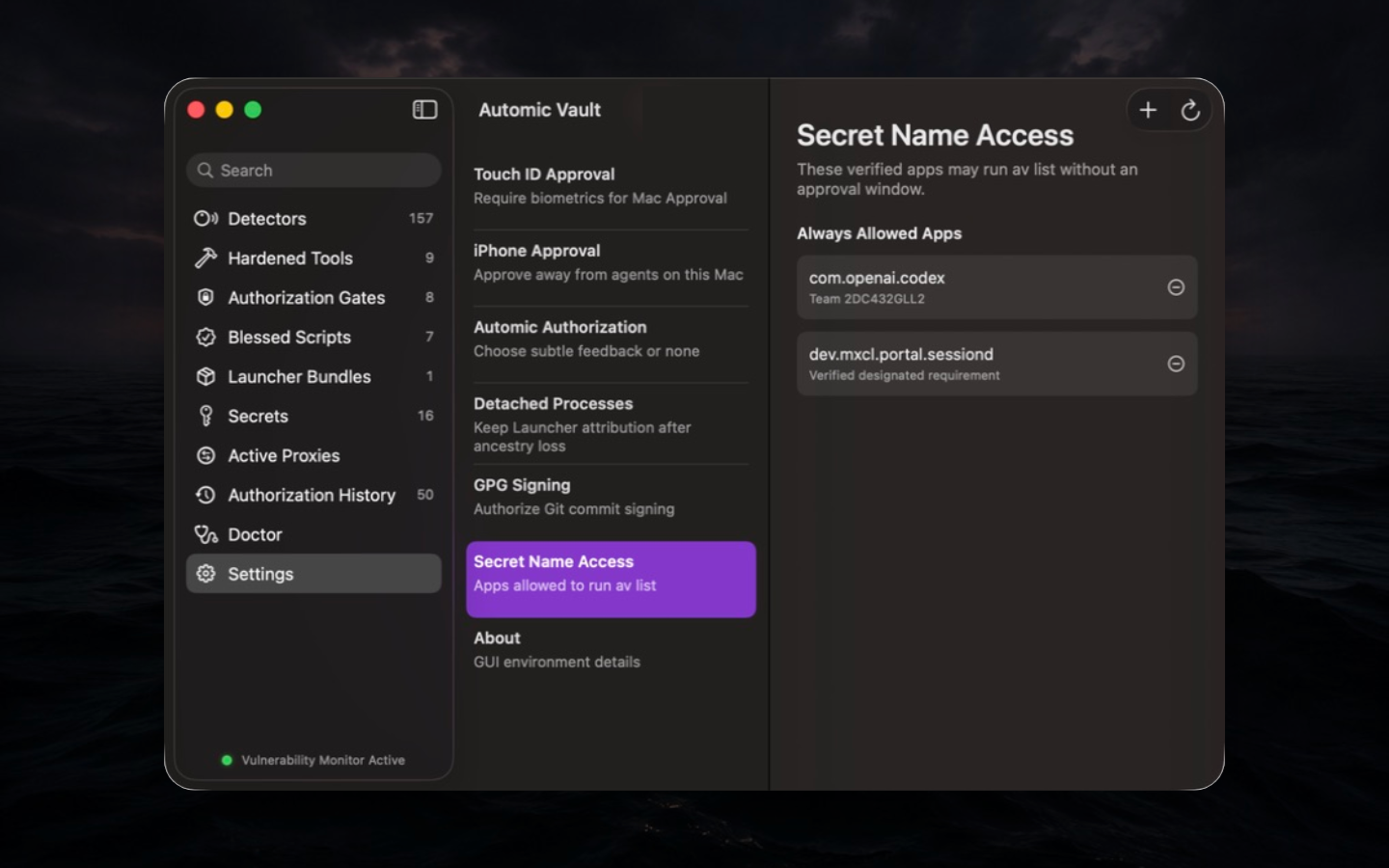
This capability lists Secret Names only. It does not read, change, apply, or disclose Values and grants no Direct Access. Remove an app when its listing use ends; a similarly named or newly signed app does not inherit the exact rule.
Authorization History Access
An exact Verified Launcher may read local Authorization History with
av history without an Approval prompt only after you add it
to the separate Authorization History Access row in Settings. Other
Verified Launchers require Approval for each read; unverifiable
Launchers also need Approval. The grant exposes cumulative request
metadata, including Secret Names and software identities, but never
Secret Values. It does not permit av list, and a Secret
Name Access grant does not permit av history.
The Mac records each successful history read before returning records. Remove the Launcher from this row when it no longer needs unattended access.
About and menu bar
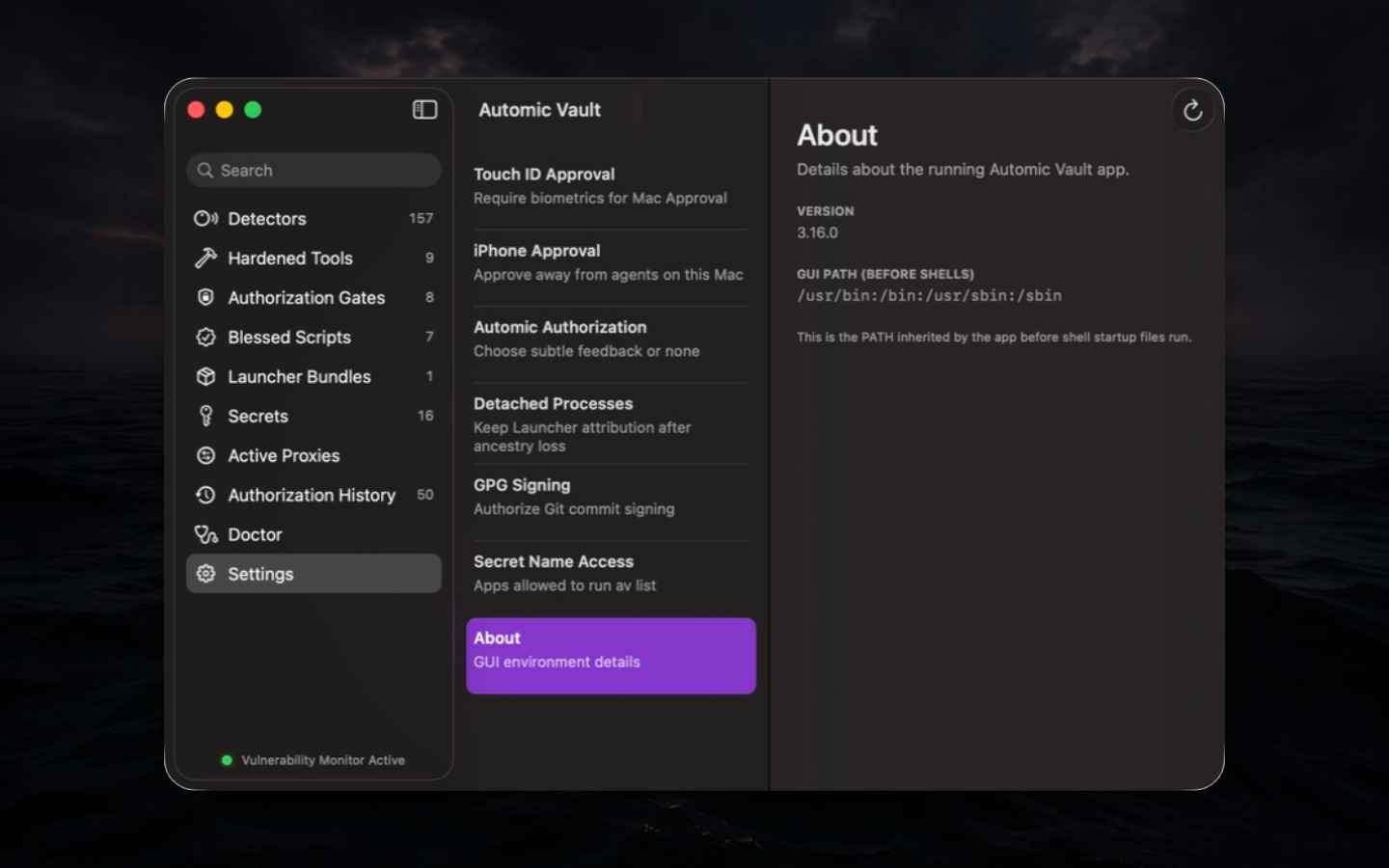
About reports the running version and GUI PATH captured before shell startup. Use both when diagnosing a mismatch between the app and an interactive shell.
The menu bar opens the main window, checks for updates, quits the service, and surfaces live Secret Uses and Temporary Access Grants without displaying Values. Quitting ends memory-only grants and proxy state; it does not undo operations or revoke Values already delivered to Targets.
Secrets, Values, and selection
av save GH_TOKEN
av save --project-directory=. GH_TOKEN
av save --project-directory=/absolute/project AWS_PROFILE
Saving safely
A Secret Name is a letter or underscore followed by letters, digits,
or underscores. av save canonicalizes an existing Project
Directory, rejects the filesystem root, and requires Approval before
creating or updating a Value. Without an input flag it reads one hidden
line from /dev/tty and removes the terminal line
ending.
For multiline input, including a PEM:
av save --multiline --project-directory=. DEPLOY_PRIVATE_KEYInput stays hidden. Press Ctrl-D after the final newline to finish, or Ctrl-D twice to finish without a final newline. Ctrl-C cancels without saving. This mode preserves received whitespace, but terminal line editing, line-length limits, and newline processing still apply.
For exact bytes from a pipe or an existing readable descriptor:
av save --stdin DEPLOY_PRIVATE_KEY <&3--stdin reads to EOF without trimming or newline
conversion and refuses terminal stdin. Both flags work with Global
Values and --project-directory; they cannot be combined.
Input must be nonempty UTF-8 without NUL bytes, at most 1 MiB. Keep the
producer's Secret output out of arguments, environment variables, logs,
and plaintext files. Review the destination: an approved save can
replace an existing Global Value or the specified Project Value.
See copying selected v1 Values for a manual legacy Keychain copy procedure and its limits.
Save the replacement before deleting the old credential. Test a harmless read through the protected route, inspect History, then remove the plaintext source. For a supported Tool, prefer its hardener because the hardener knows the native credential format and can validate the migration.
Value selection
For each requested name, Automic Vault selects the nearest Project Value at or above the physical canonical working directory on the same filesystem. If none matches, it selects the Global Value. The selection happens before policy so the Authorization Request can identify the chosen source.
Project Directory is a selector, not project identity, a repository trust signal, or an authorization boundary. Symlinks and logical shell paths do not create a second identity. A selected Value read failure never falls back to a broader Global Value; fallback after failure could silently substitute the wrong account.
Availability
Secret Availability controls whether Keychain can supply a Secret in the Mac's current lock state. When Unlocked keeps it unavailable while the Mac is locked. Available While Locked makes it available after the first unlock following a restart. The Secret Gate still verifies and authorizes every operation. See the canonical Secret Availability definition.
To prepare for remote work, unlock the Mac, run av open,
open Secrets, and select the Secret. Enable
Available While Locked for each Secret your remote
workflow needs. For GitHub, check the relevant GH_TOKEN_…
account and host entries. The setting applies to every Value of that
Secret; enable it only for Secrets you need while locked.
iPhone Approval can carry a required human decision while the Mac is
locked, but cannot make a When Unlocked Secret available. Policy may
authorize a read without prompting. Keep the Mac and originating process
running, then test a read such as gh auth status from the
same remote agent while the Mac is locked. This setting does not wake or
start a Mac after shutdown or remove the need for its first unlock after
restarting.
Direct Secret Access
The Direct Secret Gate binds exact Secret Names to one Verified Launcher, but is broad with respect to Target and arguments. Direct Access Rules authorize environment-mode injection; FD delivery requires fresh human Approval. They permit Secret Application only; it does not list, mutate, or disclose Values. Prefer a Tool-specific Gate whose classifier understands read, write, host, registry, or other operation semantics.
Access Levels
| Access Level | Authority |
|---|---|
| Approval Required | Every matching request needs human Approval. |
| Read Only | Apply Secrets only to operations the Tool-specific Gate classifies as read-only. |
| Read & Update | Homebrew-only authority for reads and the supported update path. |
| Local Write | Permit supported local writes without broader remote authority. |
| Write Access | Permit write operations recognized by that Tool-specific Gate. |
| Full Access | Strongest supported Gate authority, potentially including elevated Application or Disclosure where explicitly defined. |
| Direct Access | Apply exact names through the Direct Gate for one Verified Launcher; no Target or argument classifier. |
Access Levels are Gate vocabulary, not interchangeable global roles. Write Access for GitHub and Write Access for another Tool are evaluated by different classifiers. Unknown operations fail closed or require Approval rather than inheriting the nearest-sounding label.
The strongest Secret Gate preset appears as Secret Disclosure, including Write Access; AWS uses Elevated Secret Application. Execution Gates retain Full Access. These labels do not change authority or Blessed Script syntax.
New Secret Gates default to Read Only; GPG Signing to Approval Required; SSH Agent to Approval Required; Homebrew to Read & Update; Direct Access to Approval Required. GPG Signing offers Allow Signing, and SSH Agent offers Allow Authentication, rather than the general-purpose presets.