
Secrets manager comparison
Automic Vault vs 1Password
1Password controls access to vaults and account sessions. Automic Vault controls Secret Use at the Mac where a developer command runs. The difference appears when an agent inherits your terminal.
Published August 14, 2026 · Source checked against current product documentation
Use 1Password when you want a polished, cross-platform vault for people and teams, broad sharing, and its supported agent integrations. Use Automic Vault when the Mac itself must decide whether Terminal, Codex, an editor, or another Launcher may apply a developer Secret to a specific operation. Many developers can use both: 1Password for their human vault and Automic Vault for local developer authority.
What op Authorizes
account sessionWith the 1Password desktop integration, the first op command in a new terminal tab asks you to authorize one 1Password account. On macOS, authorization belongs to that terminal session and its subshells. It refreshes on use, expires after ten minutes of inactivity, and has a twelve-hour limit. Locking 1Password revokes prior authorization.
That is much better than a permanent token in an environment variable. It is still an account-level grant. During the authorized session, op read can print a field or write it to a file, and op run can inject referenced fields into a child process. 1Password's own documentation recommends a service account with access to only the required vaults when you need to limit what processes in that terminal can reach.
op read op://Engineering/GitHub/token
op run --env-file=.env.tpl -- npm test
If an agent controls that authorized terminal, it can ask op for any item the authorized account may read. Selecting two references for op run limits what that child receives, but it does not stop the same agent from invoking op read for a different accessible item. Vault permissions and separate service accounts can reduce the set. The CLI does not classify the intended GitHub, AWS, Stripe, or package-manager operation before returning the value.
What Automic Vault Authorizes
complete operationAutomic Vault separates Secret Availability from authorization. An unlocked Mac can make a Secret available to the policy engine, but availability grants no authority to use it.
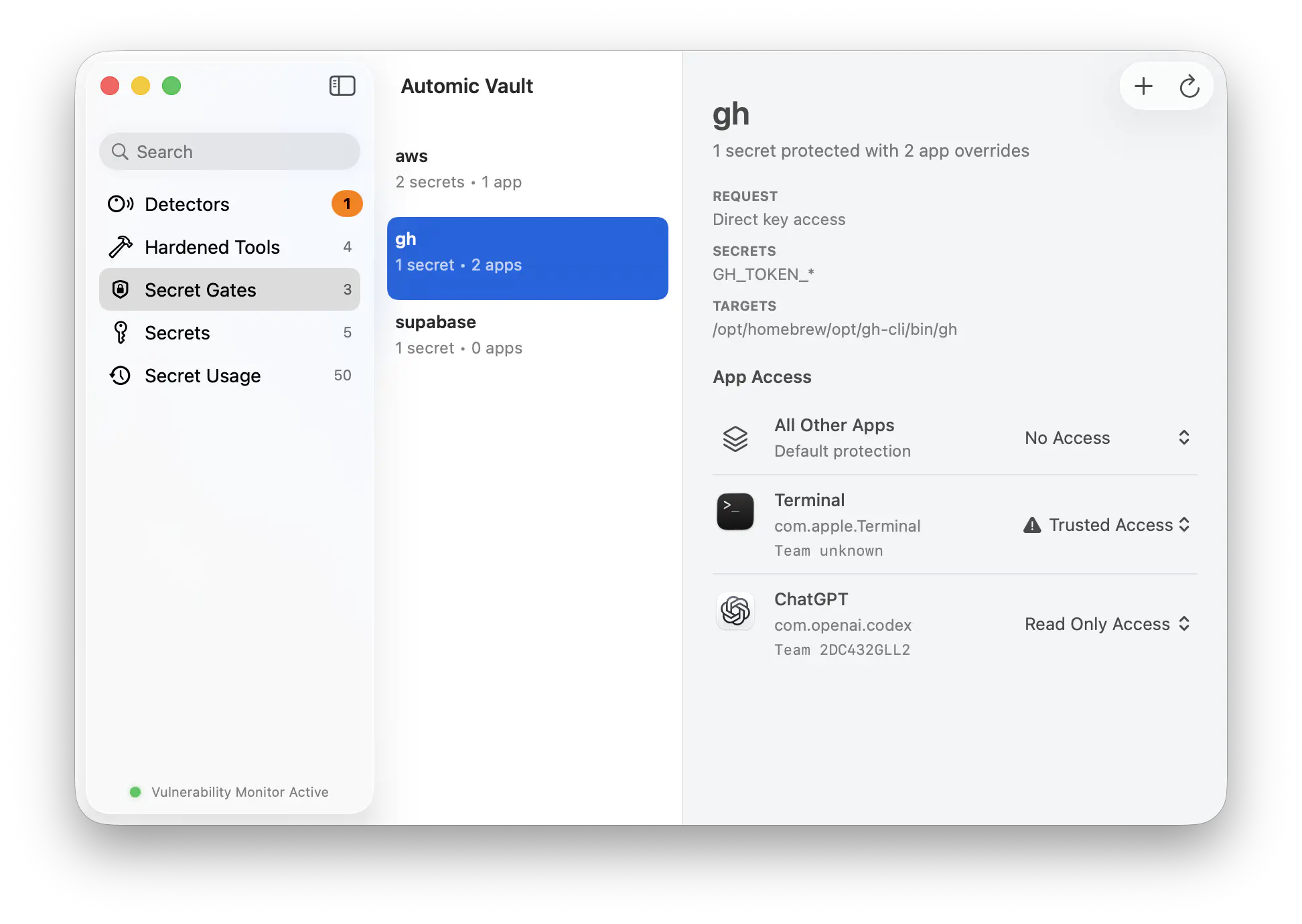
A Tool-specific Secret Gate receives an immutable Authorization Request containing the Verified Launcher, Gate Client, exact Target, command, arguments, working directory, requested Secret Names, and process identity. The gate classifies the operation and applies a policy for that Launcher. A recognized read may proceed from Codex while a remote write asks for Approval. Terminal can have a different Access Level. Unknown operations never receive automic authorization.
The stored Secret cannot be fetched through a generic load API. Automic Vault persists and verifies an Authorization Record before the bytes leave Keychain for a Secret Application or intentional Secret Disclosure. An authorized Target can still leak a Secret after receipt; Automic Vault does not claim to make that Target trustworthy.
A Terminal Tab Is Not a Verified Launcher
identity and intent1Password identifies a macOS CLI session from its TTY and start time. Its prompt shows the account and process, such as Terminal or iTerm2. The authorization then extends through subshells in that tab.
Automic Vault follows the live process chain to its root Launcher and checks the Launcher's code signature, designated requirement, and Hardened Runtime posture on every request. A path, process name, icon, or PID does not establish identity. Durable authority binds one Authorization Gate to that Verified Launcher, so a rule for Terminal does not transfer to Codex or an editor.
Identity alone cannot prove intent. Automic Vault adds Tool policy: read, local write, remote write, elevated Secret Application, Secret Disclosure, and unknown risk receive different treatment. Approval binds one complete request rather than opening a reusable account session.
Automic Vault Also Repairs the Toolchain
detectors, hardeners, doctorA vault cannot help when Git, AWS, a package manager, or another tool still has a usable credential in a plaintext file, permissive Keychain item, helper command, or inherited environment. Automic Vault scans more than one hundred supported tool configurations for those Exposures and related Hazards.
A Hardener moves a supported Tool toward declared security invariants. It may migrate a credential, install a wrapper or signed Isotope, or configure a Tool-specific gate. Doctor then verifies the intervention's identity, ownership, permissions, dependencies, and command resolution. Your shell and agent keep using familiar commands such as gh, aws, stripe, or supabase.
1Password has its own strong developer features: Watchtower finds exposed material, Shell Plugins cover more than sixty CLIs, and Environments replace plaintext .env files. Those features store and deliver credentials. Automic Vault's distinctive layer is the gate beneath an existing command, where policy can account for both the signed Launcher and the operation the Tool will perform.
1Password Has Narrower Agent Paths Too
the 2026 distinctionThe general op model is no longer the whole 1Password story. The 1Password Environments MCP Server for Codex and Kiro grants runtime access scoped to an assigned task and keeps raw values out of model context. 1Password for Claude grants approved items per browser task and locks the rest of the browser vault behind Agentic Mode. These integrations address much of the risk that a broad CLI session creates.
1Password Credential Broker also verifies GitHub Actions workload identity and scopes a private-beta job to approved items. As of August 14, 2026, its published beta starts with GitHub Actions; agent support remains on the roadmap.
These are integration-specific boundaries. Automic Vault works below supported developer Tools without an agent plugin, MCP policy file, or cooperation from the harness. Its current advantage is coverage of ordinary local command execution and Tool hardening. 1Password's current advantage is a larger cross-platform ecosystem and agent integrations that keep credentials outside the model for their supported workflows.
Generic Injection Has a Deliberate Ceiling
no magic wrapperFor a Tool without a Hardener, av inject can apply named Secrets to a Target. The Direct Secret Gate starts at Approval Required. You may grant one Verified Launcher Direct Access to one exact Secret Name, but that rule lets the Launcher choose future Targets and arguments. Automic Vault labels this Unconstrained Secret Application because a generic wrapper cannot understand every command.
A Blessed Script provides a narrower automation path. Its Blessing binds the exact file contents, canonical path, declared Secret Names, Target, injection options, and per-gate capabilities. Any content or declaration change invalidates the Blessing.
1Password service accounts solve a different scoping problem. They restrict a process to selected vaults or Environments and allowed actions, which works across operating systems and CI. They do not decide that one signed Launcher may run reads while another must ask before a remote write on the same Mac.
Which One Fits?
different boundariesHuman and team vault
Choose it for cross-platform password management, sharing, service accounts, and supported Codex, Kiro, or Claude workflows.
Mac execution policy
Choose it to harden local developer Tools and bind Secret Use to a Verified Launcher, Target, and classified operation.
Separate personal and developer authority
Keep personal and shared credentials in 1Password while Automic Vault controls supported developer credentials and commands on the Mac.
Automic Vault is macOS-only and focuses on the local developer boundary. It does not replace 1Password's family sharing, browser autofill, enterprise vault administration, or broad platform support. 1Password does not make the general op session a per-operation authorization gate. Pick the boundary you need.
Primary sources
- 1Password CLI app integration security
- 1Password CLI
op readreference - 1Password CLI
op runreference - 1Password Service Accounts
- 1Password Environments MCP Server for Kiro and Codex
- 1Password for Claude and Agentic Mode
- 1Password Credential Broker beta scope
- Automic Vault domain language
- Automic Vault architecture